Showing posts with label want. Show all posts

Wednesday, June 6, 2018

Beyond Youtube: Video Hosting, Marketing, and Monetization Platforms, Compared

Posted by AnnSmarty

A few weeks ago I did a step-by-step article on building up your YouTube presence. When writing the article, I immediately had a follow-up idea on expanding my tips beyond YouTube. Since then, some of the comments have confirmed the need for this follow-up.

The increasing interest in video marketing and diversifying your efforts is not surprising: According to HubSpot’s research 45% of web users watch an hour or more of video per day. That’s a lot if time our customers spend watching videos! And it's projected that by 2020, 82% of all consumer web traffic will be video.

Obviously, if you are seriously entering the video marketing arena, limiting yourself to YouTube alone is not a smart idea, just like limiting yourself to any one marketing channel is probably never a good way to go.

With that in mind, what other options do we have?

More video hosting options

YouTube is not the only major video hosting platform out there. There are a few solid options that you want to consider. Here are three additional platforms and how they fit different needs:

YouTube

Vimeo Pro

Vimeo Business

Wistia

Cost

Free

$20 /m

$50 /m

$99 /m

What's included

Unlimited videos

20GB per week

5TB per week

10 videos a month

Lead generation

No

No

Yes

Yes

Customizable player

No

Yes

Yes

Yes

Collaboration

No

No

Yes

No

Publish native to Facebook & Twitter

No

Yes

Yes

No

Clickable links

No(*)

Yes

Yes

Yes

Domain-level privacy

No

Yes

Yes

Yes

Analytics

Yes

Yes

Yes

Yes (**)

Video schema

No

No

No

Yes

Customer support

No(*)

Yes

Yes

Yes

Cons

Crowded, no good way to send viewers to your site...

Often has issues with bandwidth; videos load slower. If you are looking for organic visibility, it's quite niche-specific (artists, etc.)

Most expensive

Best for

Anyone

Filmmakers

Agencies

Businesses

(*) Unless you become a YouTube Partner (which is next to impossible for new and medium-scale channels) (**) I (as well as many reviewers) consider Wistia analytics much better than that of YouTube and Vimeo Bottom line:

Choosing a video hosting platform is overwhelming but here are a few easy-to-digest takeaways from the above comparison:

YouTube is beyond competition. If you are into video marketing, you need to be there, at least for the sake of being discovered through their search and suggested videos. However, a YouTube account is only good for promoting the YouTube account. There's little chance to drive leads to your site or build solid income there. You do need to be there for branding, though. Besides, none of the other options will offer an opportunity for such a powerful organic spread. If you are into creative film-making (artists and storytellers), you'll want to give Vimeo Pro a try. There's a big community there and you want to be part of it to find partners/clients. If you are a video marketing agency, Vimeo Business may be your platform of choice (thanks to their collaboration and multi-user support) If you mostly need videos to embed on your landing pages, Wistia will save you tons of time. It's the easiest to use and understand. No extra training needed. You don't have to be an experienced filmmaker OR marketer to understand how it works and use its analytics. Video courses and on-demand video

These days, anyone can create their own on-demand video channel. Isn't it awesome? It's also a very smart way to monetize your videos without forcing your viewers into clicking any ads or buying any affiliate stuff you didn't create.

When consolidating your video marketing efforts into your own on-demand video channel, there are important goals to keep in mind (targeting at least several at a time being the smartest approach):

Creating a knowledge base around your product Positioning your brand as a knowledge hub in your niche Building up an additional conversion funnel (for those people who are not ready to buy yet)

To me, creating a video subscription channel seems to be a perfect way to monetize your video creation efforts for two very appealing reasons:

You create a product of your own which you are able to sell. With that comes an ocean of opportunities, from enhanced branding to an ability to expand your reach to many more platforms where you can sell your product from. You build and nurture your own micro-community, which (if you do things right) are able to spread your word, refer more people to join and support you in your other endeavors.

With that in mind, which options do we have to create our own video course?

Not surprisingly, there are quite a few platforms that fall into two major groups:

Revenue sharing platforms. The power of those is that they are interested in selling your courses and there's usually a community to market your course to. That benefit also creates one major drawback: Expect these platforms to dictate you how to format and market your course. Udemy is the best known example here: I started using it mostly for branding and quickly got discouraged due to their multiple restrictions and poor customer support. Still, it's a good place to start. VOD (video-on-demand) platforms. These will charge you a monthly fee but they will come with awesome marketing features and integrations, as well as total freedom as to what you want to do with your content and your audience. Like with anything, you get what you pay for.Uscreen is a big player here: You can choose your payment model, use your own domain, brand your course the way you want to, send email marketing emails to your students, and even create a custom smart phone app to give your students an alternative on-the-go way to consume your brand-owned content:

5b17868203d353.75649525.png

Bottom line:

Like with video marketing platforms, there's nothing preventing you from using both of the above options (for example, you can sell a lighter version of your course on Udemy and keep a more advanced, regularly updated version for your own domain) but just to give you an idea:

Udemy is best if you are very new to course creation and have no budget to start. It also makes it easy to keep an eye on competitors and understand your audience better by watching what and how they rate and review Uscreen is a logical step further: Once you get more comfortable and have accumulated some videos you may want to bring it to the next level, i.e. create your own branded spot to engage your community better and build an alternative source of income. Live streaming

Live streaming refers recording and simultaneously broadcasting your video to your audience in real time.

Live streaming has been getting bigger for a few years now and there's nothing that would signal an upcoming slow-down.

The biggest players here are:

YouTube Live Facebook Live Periscope

All the above options are very interactive and engaging: You can see your viewers' comments and reactions as you are streaming the video and you are able to address them right away.

In this case, your choice depends on your own marketing background: Stick to whatever channel currently works best for you in terms of follower/subscriber base and engagement.

Personally, Facebook is my preferred way to stream videos, not because of the actual audience size but because Facebook audience is more engaged. Besides, Facebook sends a notification to my friends whenever I go live which always results in more views.

But it's possible that we don't have to choose...

There are a couple of services that claim to stream "simultaneously" to several of the major platforms which is something I haven't tried yet but I am definitely planning to. If you like the idea, here's what I have been able to find so far:

Vimeo Live

Crowdcast Multistreams

Supported platforms

"Vimeo and Facebook, YouTube, or your favorite RTMP destinations"

"Facebook Live, Periscope, YouTube Live, and more"

Cost

$75 per month

$89 per month

Extra Pros

Comes with all Vimeo Business features (analytics, collaboration, hosting, etc.)

Comes with nice webinar hosting features

More tools to amplify your video marketing

In my previous article I listed lots of video creation and marketing tools and I didn't want to leave you with no tools here as well.

If you have read up to this point, you must be very serious about your video marketing efforts. So to award you, here are a few awesome tools you may want to take note of:

Create: Lumen5

Here's a nice tool I failed to mention in my previous post: Lumen5. If you are looking for an easy start for your video marketing campaign, take a look at this tool. It turns blog posts into videos and the result is pretty awesome.

5b1786834eb112.12846856.png

I don't mean to say this tool is enough for a well-rounded video marketing campaign but it's definitely a nice way to re-package your text content and broadcast your articles to video-only channels, like Youtube and Vimeo.

Monetize: Patreon

Apart from selling your videos as a separate project, there's another cool way to monetize your video activity.

Patreon is nice platform aiming to help independent video creators: Set up your page and invite your social media followers to support your video creation efforts by a small monthly subscription. If you don't want to sell anything, that's a nice way to earn your living by engaging your supporters:

5b17868414c915.67767425.png

You can learn more on how it works from its current user here.

Monitor: Awario

There's never one perfect method of doing marketing. There's always a need to try different tools, formats and platforms. Monitoring your competitors is one great way to discover more of those tactics to play with.

Awario is a great solution to use for competitive multi-channel monitoring. They support all major media including Twitter, Facebook, YouTube, Reddit, blogs and more. You can easily filter out any channel to clear out clutter. YouTube monitoring is a life saver when it comes to keeping an eye on what your competitor is doing video-wise:

5b178684f3d516.42990267.png

When it comes to video marketing, I am not aware of any other solution for monitoring video content.

Conclusion You don’t have to limit yourself to YouTube for video hosting, but you cannot really do without YouTube altogether. When it comes to YouTube, it’s a powerful video discovery engine but there’s not much you can do to direct those viewers to your own site. You need to be there to be discovered, though. When it comes to other video hosting platforms, every solution serves its own purpose, so choose one that will serve your needs best. If you want to consolidate your video marketing efforts (which is a smart and logical step further), create your own on-demand video channel. These days it’s pretty easy and affordable. Video live streaming is a great way to earn organic social media visibility. Choose your platform to stream based on your current level of engagement and reach. Or, try paid solutions that allow to stream to multiple platforms simultaneously

Are there more tools and platforms you are using? Let us know in the comments!

Sign up for The Moz Top 10, a semimonthly mailer updating you on the top ten hottest pieces of SEO news, tips, and rad links uncovered by the Moz team. Think of it as your exclusive digest of stuff you don't have time to hunt down but want to read!

9375435.gif

Read more: tracking.feedpress.it

https://bluetoothproximitymarketing.info/beyond-youtube-video-hosting-marketing-and-monetization-platforms-compared/

Monday, May 14, 2018

7 Reasons Why Nobody is Reading Your Content and How to Grab Their Attention

Content, content, content.

It seems like content is the only thing anyone can talk about these days.

You’ve probably read post after post about how “content is king” at least a dozen times.

However, despite your best efforts, you can’t seem to see what the content hype is all about.

You write blog posts.

You create videos.

You participate in social media.

And yet, crickets.

You’re creating content, but it’s not getting you very far.

Unfortunately, creating content isn’t enough to really market your business.

If no one is engaging with what you’re producing, you’re simply wasting time, energy, and resources to clutter an already overcrowded web.

But this doesn’t mean content marketing is ineffective.

In fact, 20% of business owners believe content marketing will have the largest impact on their business in 2018.

If you’re not getting results from the content you’re creating, it typically means you’re doing something wrong.

But with a projected 16% growth rate between 2017 and 2021, content marketing isn’t something you can just hope will pass by.

If you want to market your business successfully, you need to find your errors, shape up your content, and start getting conversions.

To help you improve your content marketing strategy, here are seven of the biggest mistakes you might be making – and what you can do to turn your results around.

1. You have no strategy

Are you posting whatever you want, whenever you want?

A lot of marketers do this.

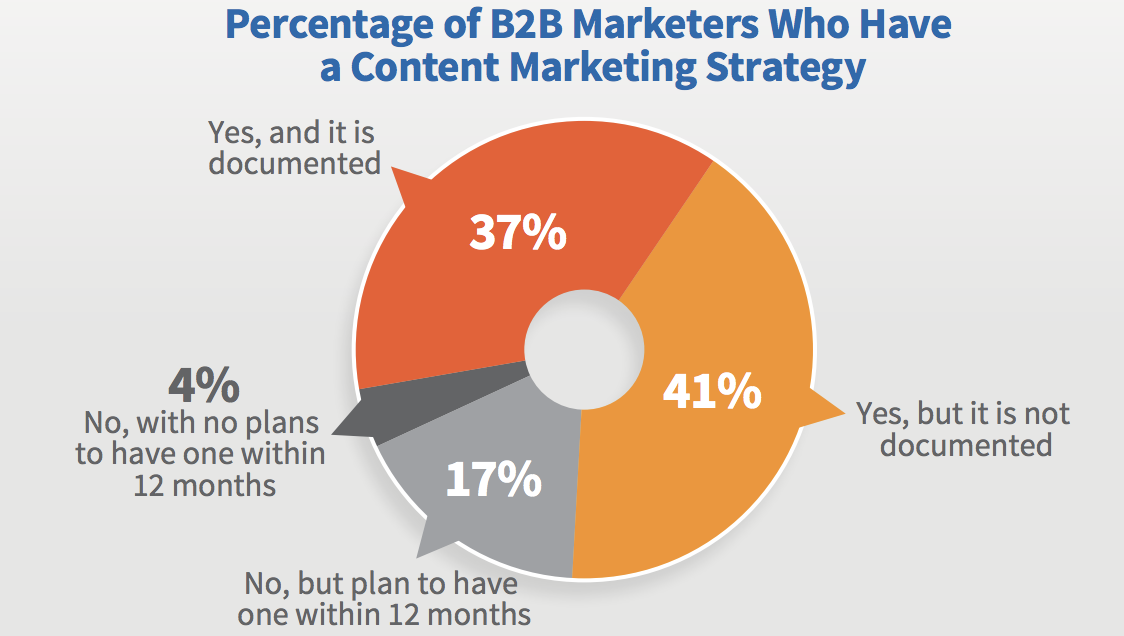
In fact, only 37% of B2B marketers have a documented content marketing strategy.
percentage-of-b2b-marketers-who-have-a-content-strategy.png

This means the majority of marketers aren’t thinking strategically about the content they’re creating.

This makes it easy for your audience to ignore whatever you’re sharing.

A content marketing strategy helps you identify what you’d like to accomplish with your content, as well as how you’re going to use your content to achieve your larger business goals.

In other words, it forces you to put intention behind your content.

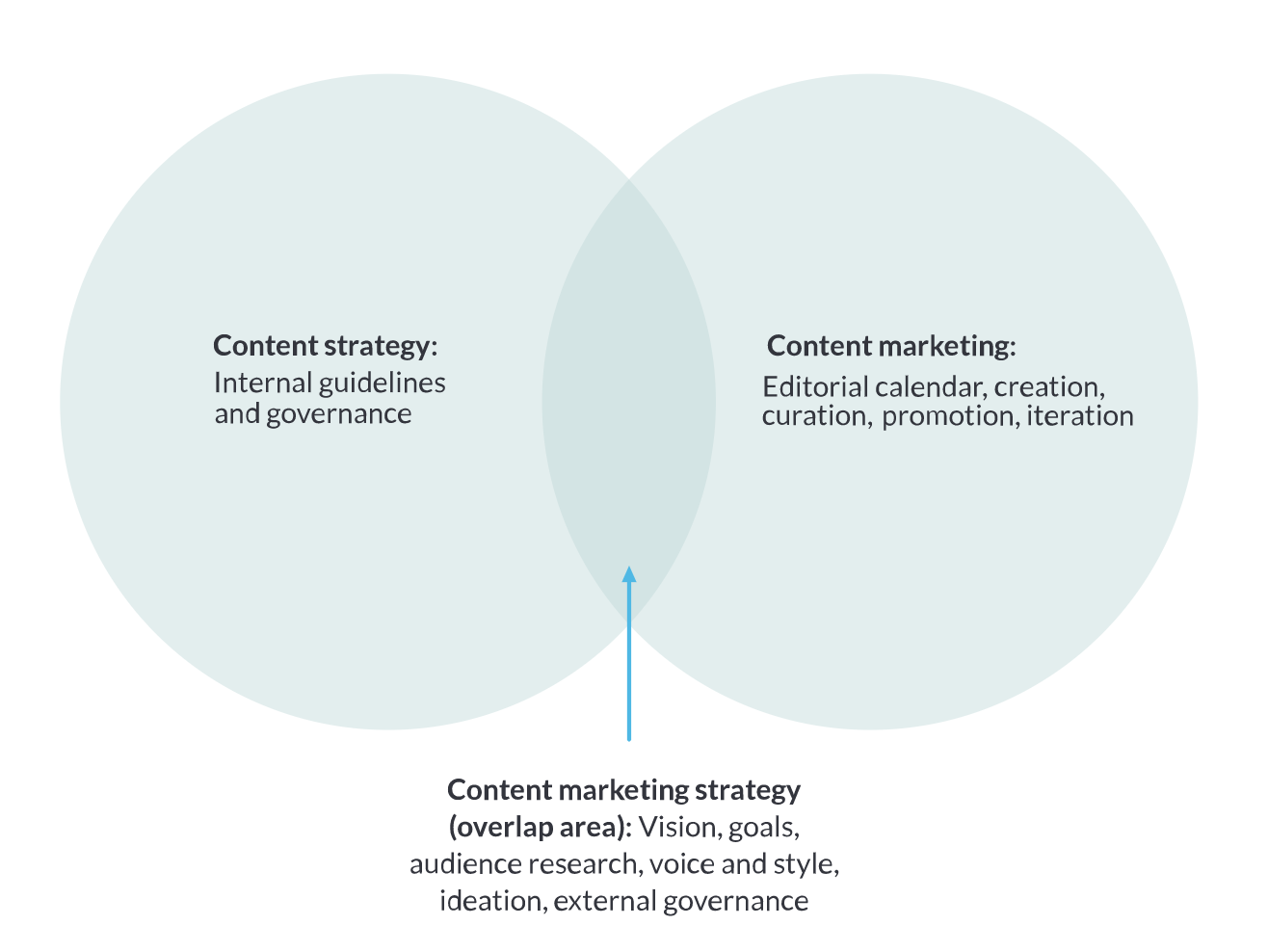
Moz describes content marketing strategy as the overlap between content marketing and content strategy.
moz-content-marketing-strategy.png

At this intersection, you’re able to use the content you’ve created to bring your business plans to life.

If you’re operating without a content marketing strategy, this disconnect makes it difficult for your target audience to know what you want them to do.

However, when you create a plan, you’re putting a purpose behind your content.

Creating a content marketing plan doesn’t need to be difficult.

In fact, Content Marketing Institute outlines how you can create an effective plan in just one page by outlining your objectives, goals, metrics, and strategy.

Once this is done, you’re ready to move on to an editorial calendar.

Your editorial calendar should work hand-in-hand with the content marketing strategy you’ve created.

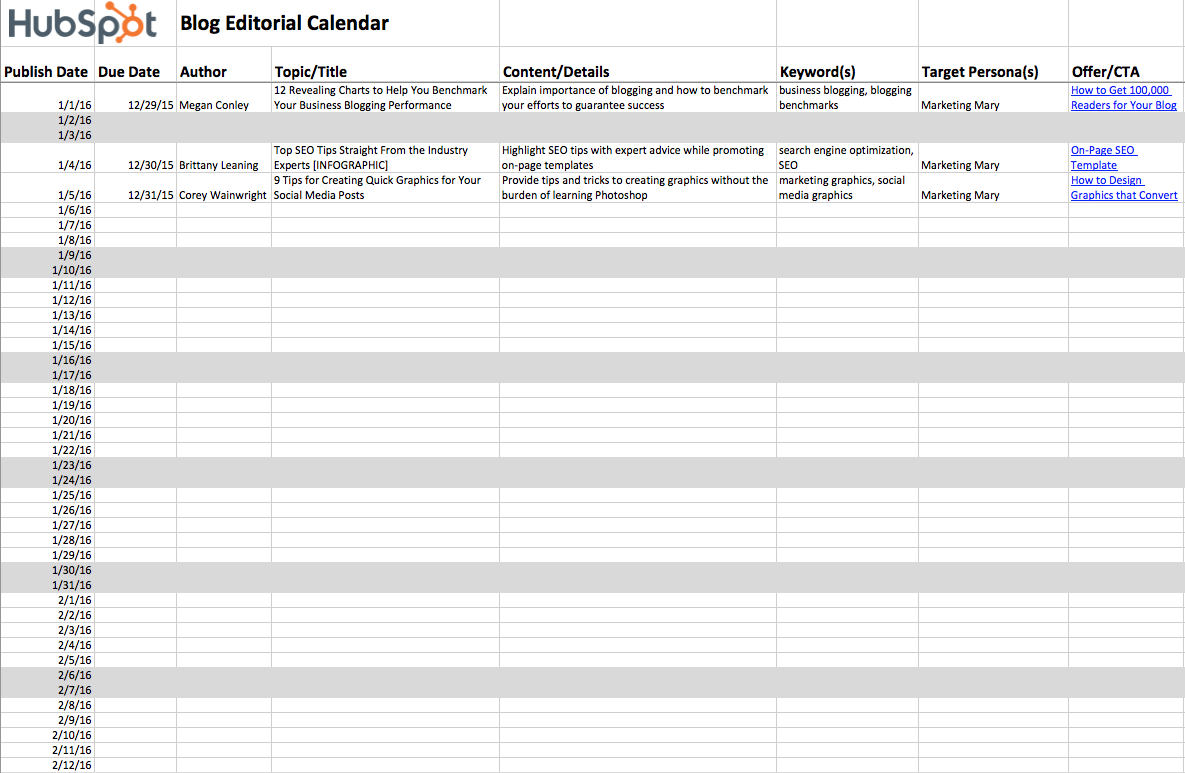
Here’s an example of an editorial calendar template from HubSpot.
hubspot-blog-editorial-calendar.png

This calendar breaks down exactly when you’re going to publish your blog post, as well as the title name, content details, and keywords you’re going to target.

It also shares which personas you’re trying to reach and what you’re going to offer them.

This kind of well thought out planning means each piece of content you upload fits within the content marketing plan you’ve established.

There are dozens of ways you can create an editorial calendar.

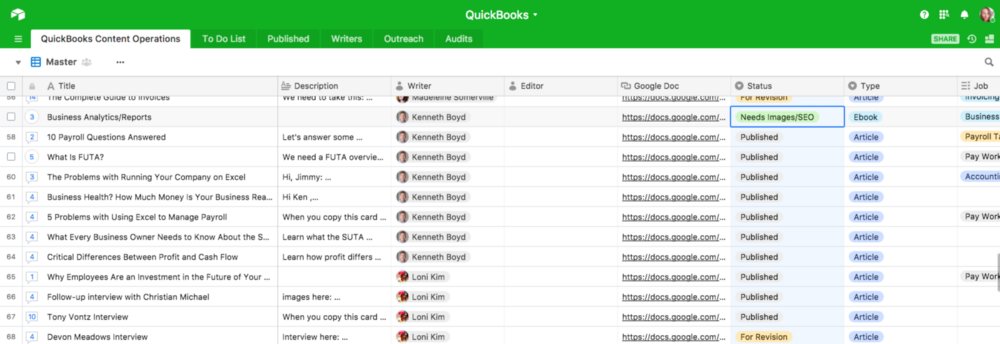
Quickbooks chooses to house their editorial calendar in Airtable – allowing one editor to manage over 4,000 pieces of content.
quickbooks-content-operations.png

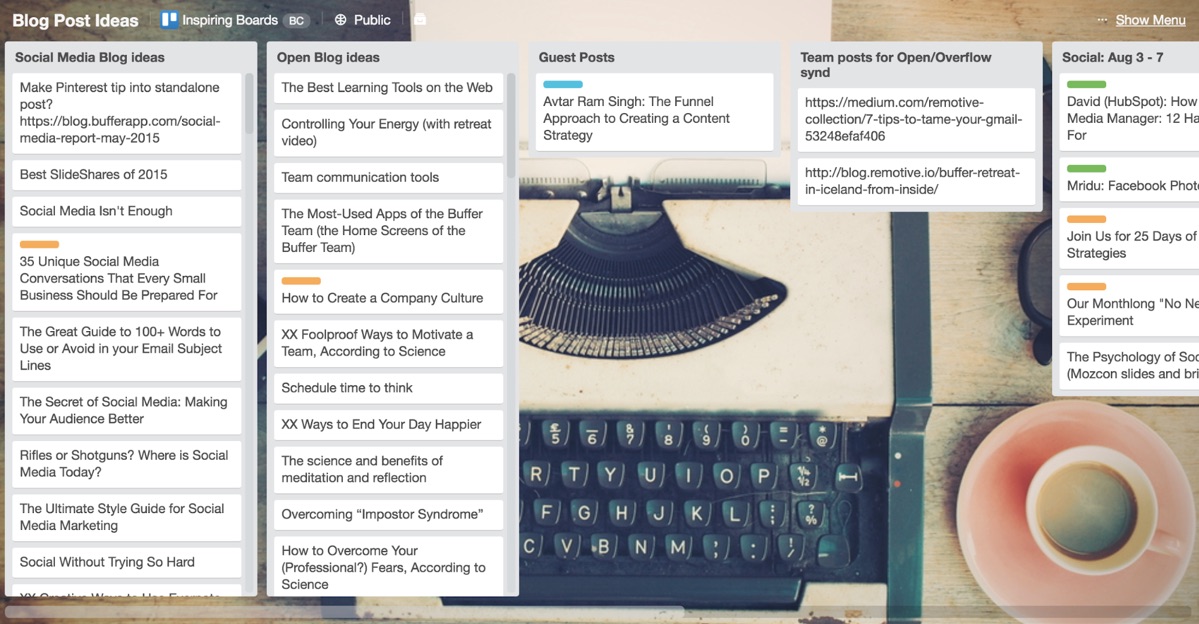
Others, like Buffer, turn to Trello.

buffer-blog-posts-trello.jpg

Personally, I like Asana.

But the tool isn’t the point. The best tool is ultimately the one you can get everybody to use consistently.

2. You’re not publishing enough

When it comes to uploading content, quality beats quantity any day.

However, if you’re just posting once a month, you’re going to struggle to grab any real attention.

Consistency is key to building trust and credibility both with your audience and with search engines.

The idea is simple.

When you create more blogs, you’ll drive more traffic to your website.

With more traffic, you can prove to Google that you have content people want to read.

Once they understand you’re sharing valuable information, they’ll give your content a boost on their results pages – bringing in even more traffic and attention.

However, it’s easier said than done.

If you’re stuffing your website with low-quality information that your audience doesn’t care about, it doesn’t matter how frequently you post.

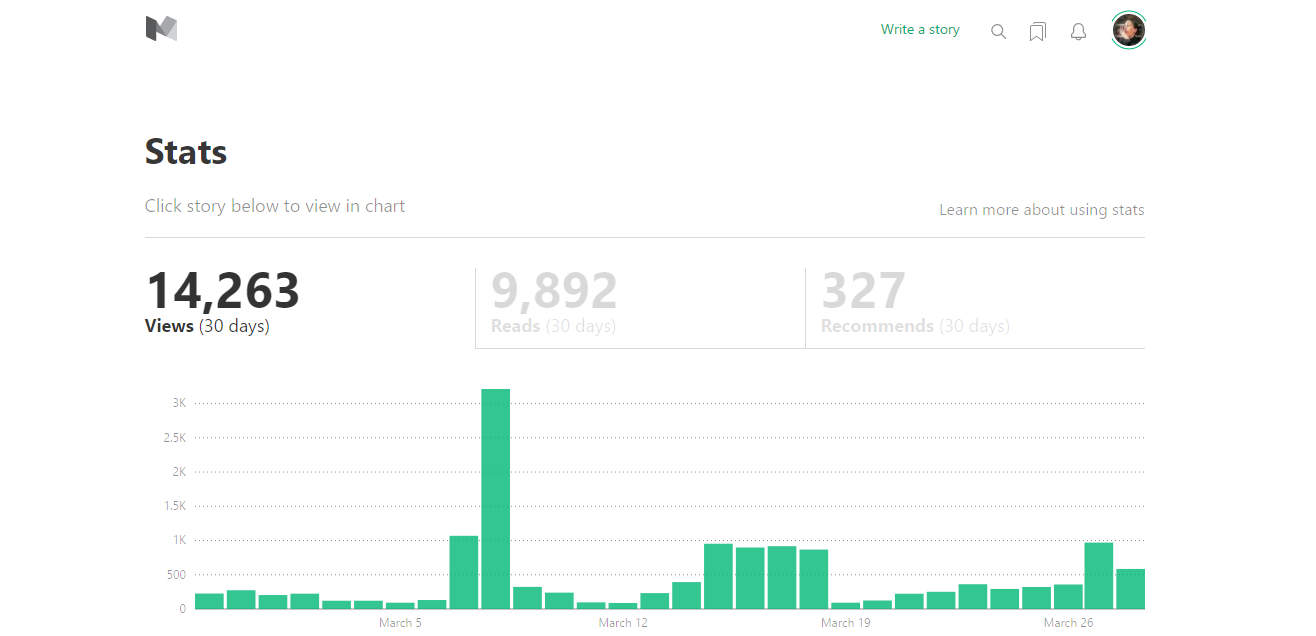
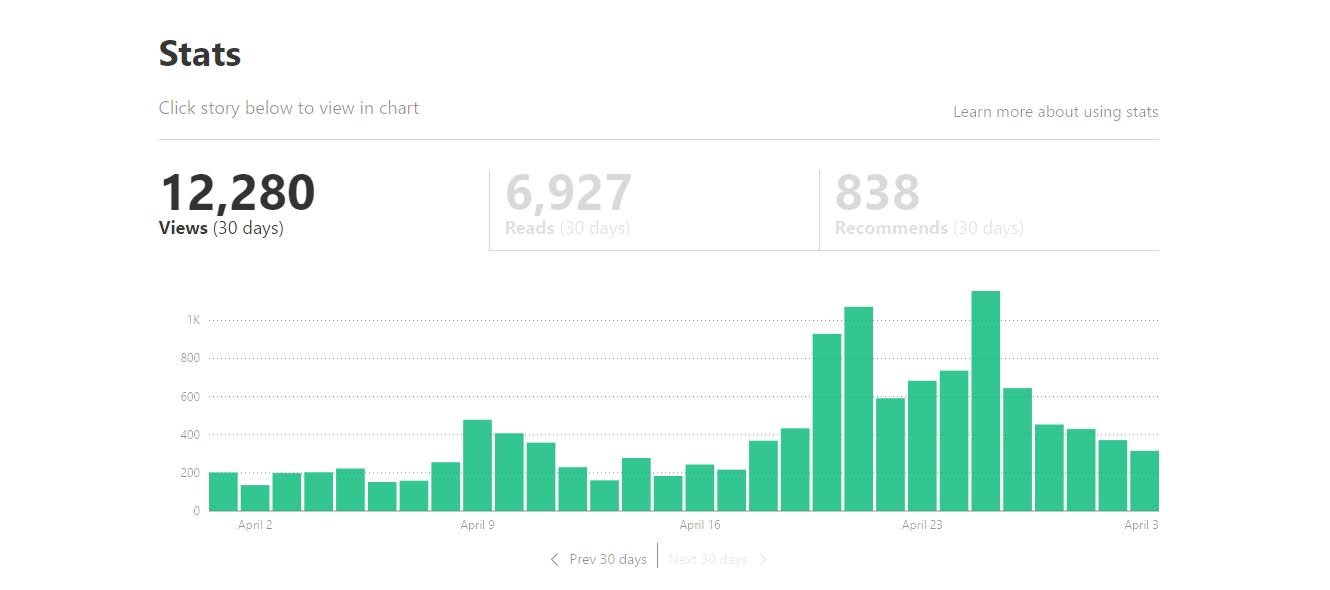
In fact, The Writing Cooperative found that blogging every day actually decreased their views compared to when they were posting just six times a month.

In March 2017, before their posting experiment, The Writing Cooperative was getting about 14,000 views each month.
medium-14k-views.png

But once they began blogging every day, views began to decrease.
medium-12k-views.png

The problem here is that they couldn’t continue to create high-quality content each and every day – and their readers noticed.

The key to getting attention through your content is finding the right balance between quality and quantity.

You also want to go beyond simple blog posts.

While blogging is a great way to bring traffic to your website, it doesn’t appeal to everyone.

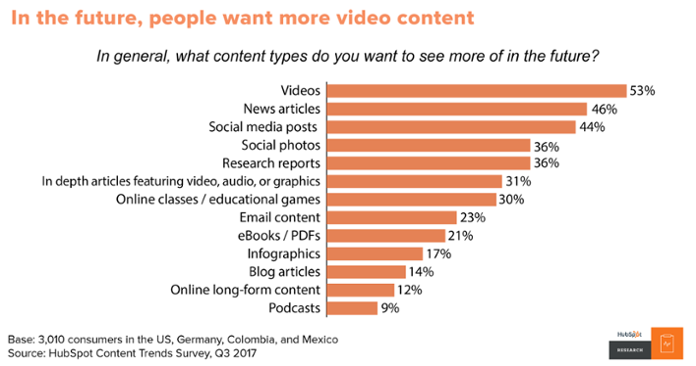
Not everyone likes to read blog posts.

In fact, 53% of consumers said they’d like to see more videos in the future.
what-type-of-content-do-people-want.png

And with customers becoming more and more dependent on voice search and smart speakers, blogging isn’t always the most effective way to deliver content.

When you’re thinking about how often you should publish, you also want to consider what you’re publishing.

Videos can be a great way to grab attention, break down complex topics in a way that is easier for your audience to understand, or show off your products.

For example, Red Bull uses YouTube to show off the extreme sports, events, and competitions they sponsor.

With over seven million subscribers to their channel, Red Bull has one of the most popular YouTube pages out there.

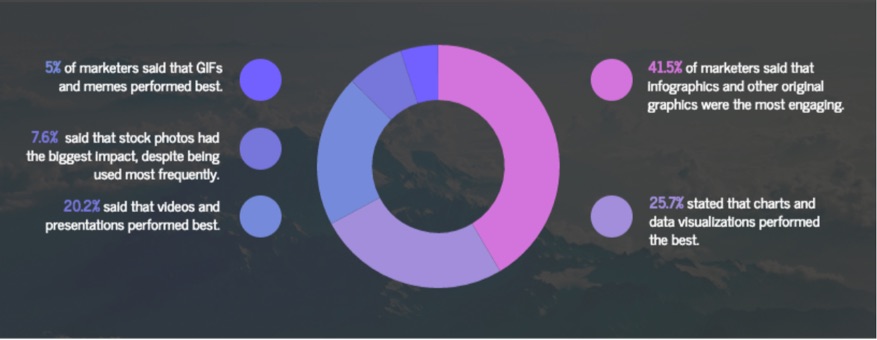
Infographics are another way you can make your content more interesting for your audience, especially if you’re showing off large amounts of data or research.

In fact, over 41% of marketers said that infographics were the most engaging forms of visual content for their audience.
visuals-in-content-marketing.jpg

This ranked even higher than videos.

Infographics are insanely popular because they’re easy to skim and visual, making them ideal content for your always-busy customers and clients.

You can also expand your reach and get more attention to your content by producing podcasts.

Podcasts have been increasing in popularity over the past couple of years, with an estimated 67 million individuals listening to podcasts every month in 2017.

Repurposing written content into spoken can help you reach customers who don’t enjoy reading – expanding your audience to new individuals.

When trying to create different kinds of content, don’t be afraid to get creative.

However, you always want to think back to your target audience.

Focus on creating content that your audience will want to engage with.

3. You’re confusing content with sales pitches

Your content shouldn’t sell.

Sure, the whole purpose of marketing is to create interest in your business and drive sales.

But you can’t start out a relationship with a potential lead with a sales pitch.

Today’s customers don’t like being sold to.

That’s mainly because they don’t need to be sold to.

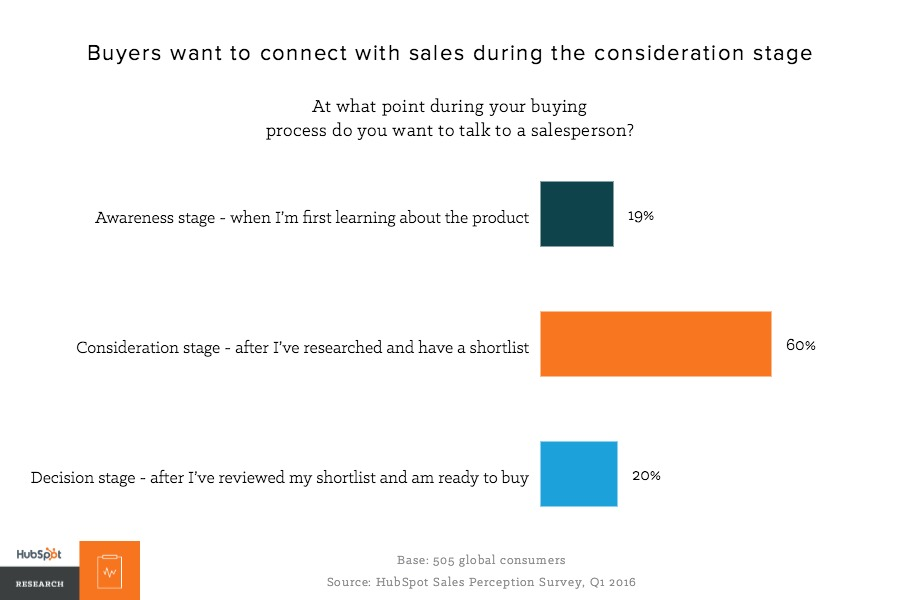
With the Internet at their fingertips, customers are more capable of discovering their options without ever needing to speak with a salesperson.

In fact, 60% of consumers won’t connect with a salesperson until they’ve already created a shortlist of potential purchases.
buyers-want-to-connect-with-sales.png

By the time they’re ready to buy, they already know more or less what they’re looking for.

This means you need to use your content to educate them – before you ever have the opportunity to connect.

Your content should be specially formatted to meet the unique needs of your buyer during every stage of their journey.

Let’s break down what that journey looks like.

First, your lead needs to become aware of your brand.

This means you need to be entertaining, engaging, or interesting enough to stand out from the piles of information already on the web.

You can do this in the form of videos, fun blog posts, educational webinars, and engaging social posts.

Take a look at this Instagram post from GoPro.

instagram-gopro.jpg

This high-quality image is attention-grabbing, causing followers to stop their scrolling and take notice.

However, it also shows off what the GoPro is capable of – increasing awareness about the brand and its products.

Next comes the consideration phase.

During consideration, your audience needs to better understand their problem, as well as their available solutions.

The content you might create for them could include product comparison videos or articles, case studies, or podcasts.

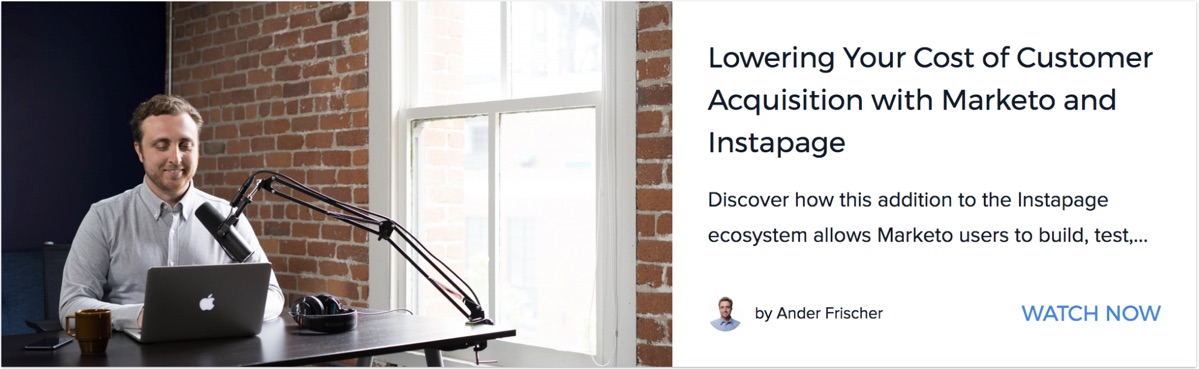
Here’s an example of a webinar from Instapage that would attract customers in the consideration phase.
instapage-webinar.jpg

During this webinar, participants learn more about how Instapage and Marketo can help lower their cost of customer acquisition, helping them determine if it’s the right solution for them.

This then brings the lead to the next stage of the buyer’s journey – the decision phase.

At this time, your lead is ready to choose which product or service is right for them.

You can encourage their decision with testimonials, product reviews, and demonstration videos.

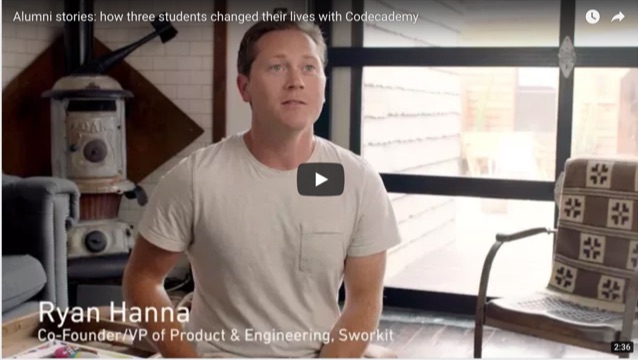
Codeacademy uses their Stories page to share how past participants have used their skills to change their lives or careers.
codecademy-video-testimonial.jpg

These stories function the same as testimonials, allowing potential customers on the fence about purchasing to see how the decision influenced other customers’ lives.

Raphael Paulin-Daigle of SplitBase.io tells ConversionXL, “A type of social proof that works over and over again is testimonials. Whether it’s in video or written form, they’ve helped increase the conversion rate of the clients’ landing pages in every case.”

If your customer decides to buy, they’ve finally reached the delight phase of the buyer’s journey.

Here, they’ve already purchased, but you want to use your content to encourage them to buy again.

You can do this with newsletters, training webinars, or customer satisfaction surveys.

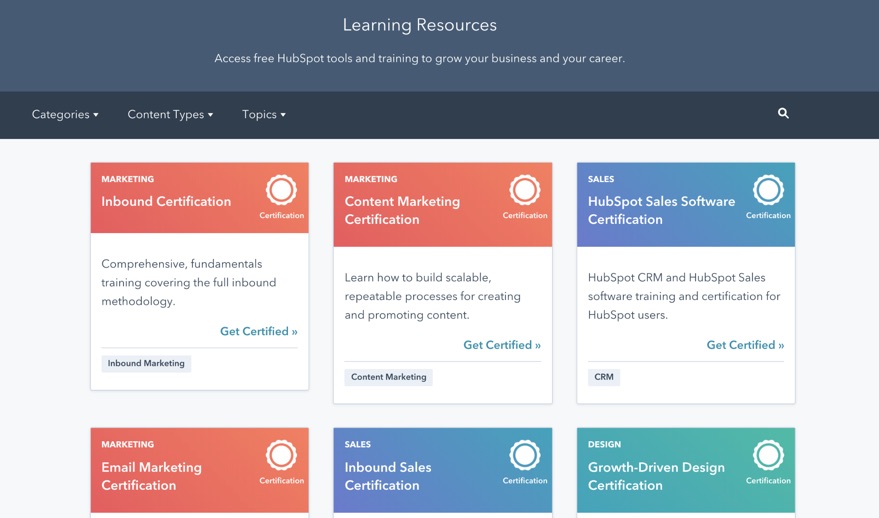
The Hubspot Academy is an example of content that reaches customers who have entered the delight phase of the buyer’s journey.
hubspot-academy-learning-resources.jpg

By offering training and certifications, Hubspot stays in touch with customers while providing content that can improve their experience as a customer.

Notice how none of these content forms include a sales pitch.

Instead, during each step of the way, the focus is on the customer and helping them find the right solution to their problem.

When your audience feels like you’re helping them, they’ll be more inclined to engage with your content.

4. You don’t know your audience

When you create a piece of content, do you know who you ultimately want to engage with it?

You’re probably thinking “customers.”

Unfortunately, just trying to attract anyone with a credit card isn’t going to get you great results.

With the mass amounts of content and information on the Internet, customers can find content that speaks directly to them – no matter how niche that might be.

To get attention, you need to find your audience and create content just for them.

When you focus your content, you might be narrowing down your audience pool, but you’re making deeper connections.

This can help you see real growth from your content.

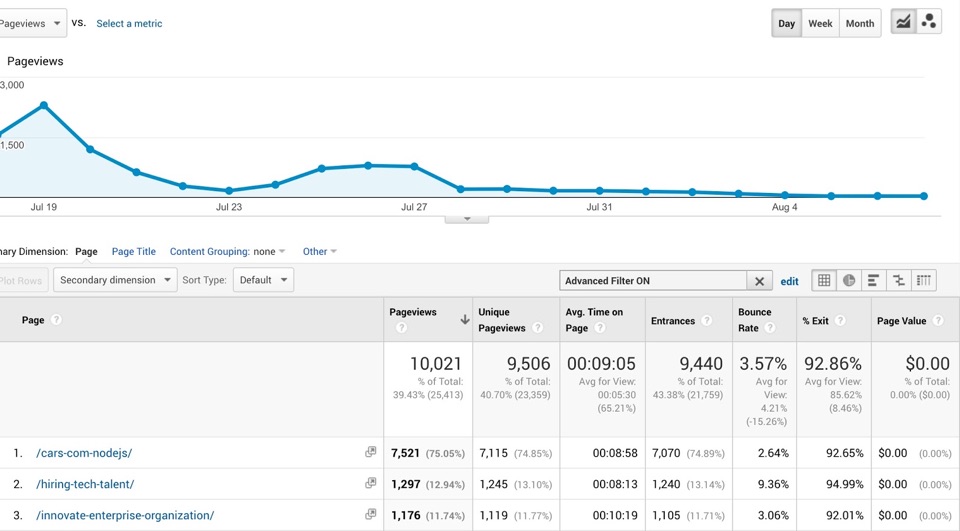
Let’s take a look at how Modernweb used a hyper-targeted content strategy to bring in 10,000 visitors in just three weeks.

They started with defining their “who.”

And they got specific.

They came to the conclusion that they would be writing for “technology executives inside of enterprise companies.”

While they had clients who owned startups and small businesses, they weren’t their ideal client. So, they weren’t an area of focus.

Next, they dove into understanding the day-to-day pain points that those individuals experience.

Finally, based on the audience and pain points they established, they created a content plan that addressed those needs.

In this case, Modernweb decided they’d focus on sharing stories from enterprise businesses who had recently switched from older to newer frameworks.

They identified their audience, understood what they were struggling with, then presented them with content that explained how similar individuals handled the same problem.

In just three weeks, their web traffic saw a major jump.
google-analytics-traffic-drop.jpg

Just from getting to know their audience, they were able to bring more unique visitors to their website and keep them engaged for an average of 9 minutes.

There are a few different ways you can begin to replicate Modernweb’s results.

First, create a buyer persona.

A buyer persona walks you through who your ideal client is.

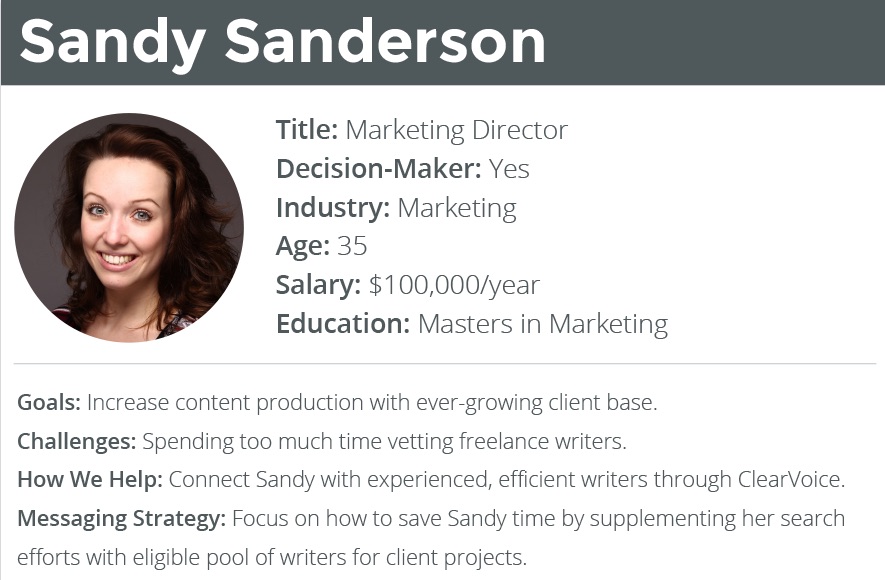
Here’s an example from ClearVoice.
clearvoice-female-buyer-persona.jpg

It breaks down exactly who they are, what problems they experience, and what kinds of solutions they might be looking for.

You can go deeper into your buyer persona to explain things like what they do each day, what kind of education level they have, or what they might do in their spare time.

The more detailed you can get with your buyer persona, the more targeted you can make your content.

If you have a wide range of products or services, you may also want to create multiple personas.

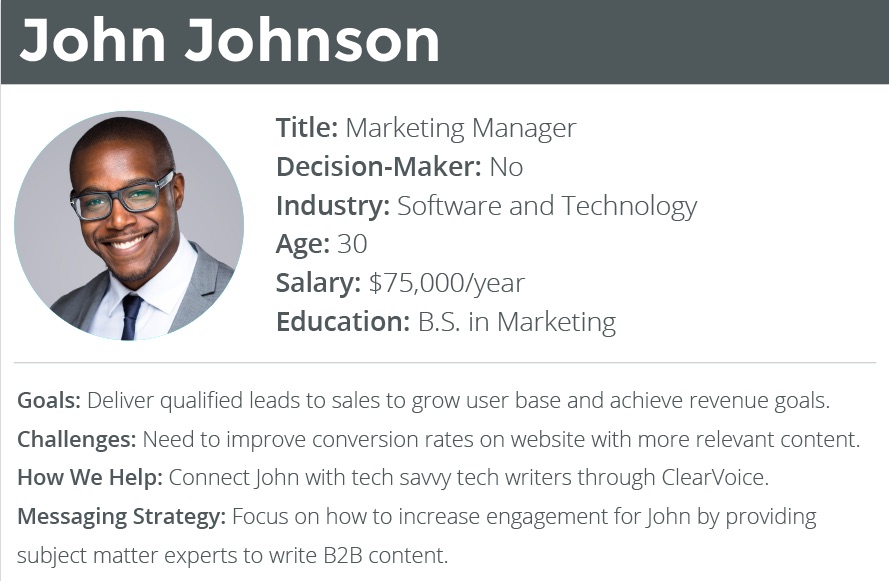
For example, here’s another example from ClearVoice.
clearvoice-male-buyer-persona.jpg

While both John and Sandy have similar needs, they have different goals and challenges – meaning they’ll need to be targeted differently.

This can ensure that each of your audience members is well represented.

Next, pay attention to what they’re doing on social.

Monitoring your customer’s social activity can give you insights into the problems they’re facing, the solutions they may want, and what questions they may have.

You can then use this information to refine your content and guarantee you’re creating something they care about.

Check out the questions they’re asking on traditional platforms like Facebook or Twitter, but also dive into question sites or forums like Quora and Reddit.

For example, if you’re a personal finance firm looking for content ideas, the Personal Finance Reddit page can be a goldmine.
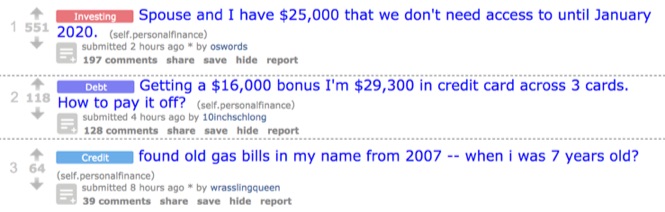
personal-finance-reddit.jpg

Users are constantly jumping on to ask questions about paying off debt, how to properly invest, or get advice on what to do in credit scams.

Knowing the real-life struggles your audience is facing can help you adjust and refine your content strategy to truly fit their needs.

Both of these pages can give you a great jumping off point for creating new content.

Finally, participate in conversations with your audience.

Get involved in Twitter Chats or Facebook Groups where your audience is hanging out.

Check out how RivalIQ gets involved in a conversation with a participant during the #BufferChat.
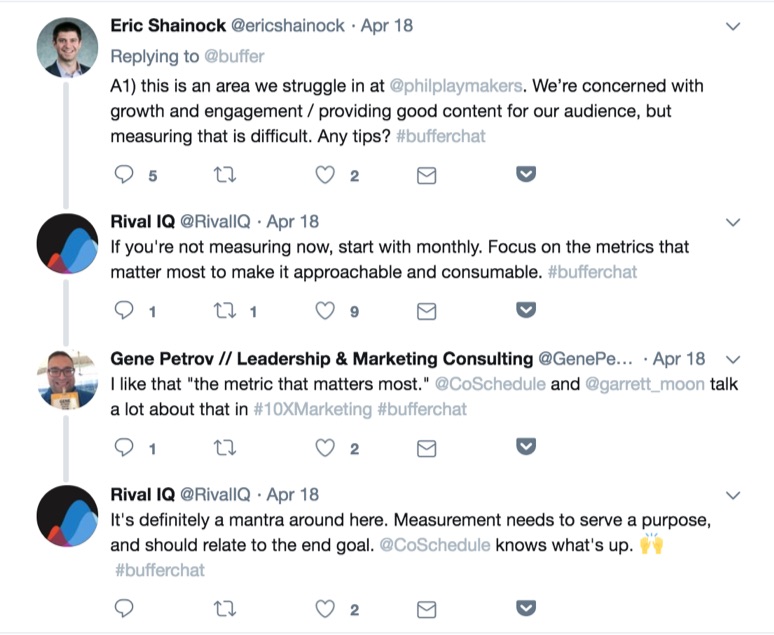
bufferchat-on-twitter.jpg

Not only does this allow them to make a great impression, but it also gives them some insight into what potential customers may be struggling with.

As you become familiar with the conversations they’re engaging with, you can refine your messaging and topics to better suit their needs and preferences.

5. Your voice isn’t genuine

Customers want to purchase from companies they believe they can trust.

In fact, the top quality that customers look for in a brand is honesty, followed by friendliness and helpfulness.
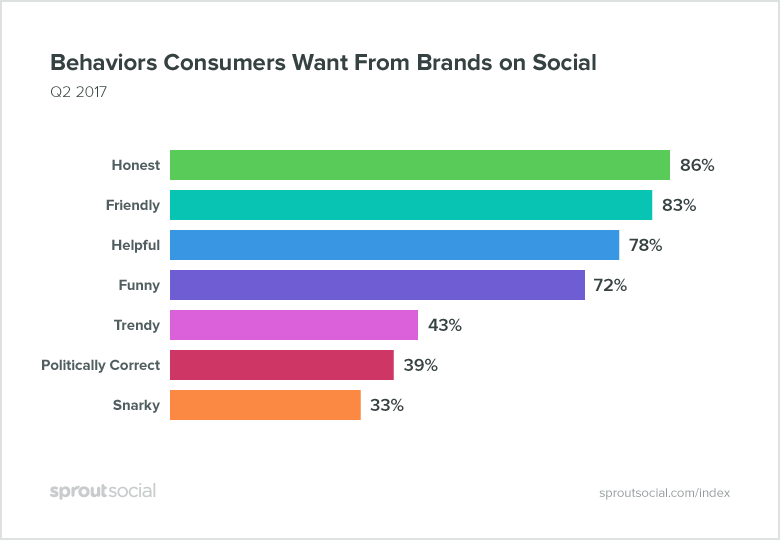
behaviors-consumers-want-from-brands-on-social.png

However, if it seems like you’re just putting on a persona for sales, they’re going to be hesitant to connect.

When creating your brand voice, it needs to connect who your brand is with who your audience thinks your brand should be.

Let’s consider this graph for a second.

Snarkiness is the last thing that customers what when it comes to brands on social media.

However, when we look at brands like Wendy’s and MoonPie, their attitude gets them hundreds of thousands of engagements.

So, what’s going on here?

Both Wendy’s and MoonPie have made it their brand persona to be snarky, witty, and sarcastic on social.

It’s who they are – and that’s why it works.

They’re not pretending to have an attitude just for attention.

It’s a unique indicator of their content, allowing them to create a reputation that makes customers want to connect.

Check out this quote from Juntae Delane, Founder of Digital Branding Institute.
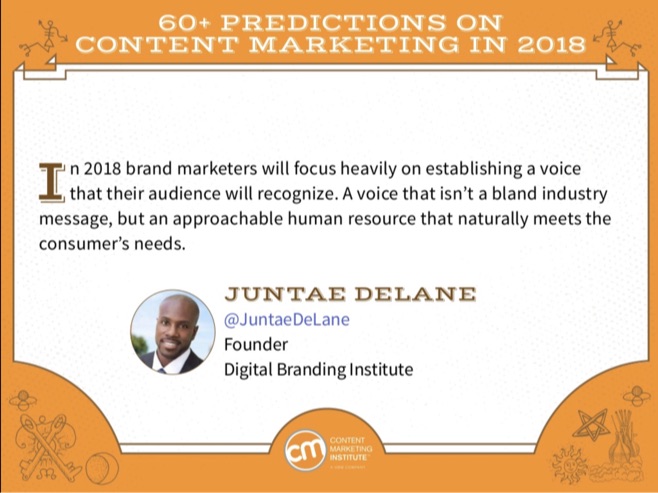
content-marketing-predictions-for-2018.jpg

According to Juntae, a brand’s voice needs to go beyond simple industry jargon and bland business tones.

Instead, it needs to match with the customer’s needs and provide a human element to the brand.

You can build your brand voice off the buyer persona you’ve created.

Based on your buyer persona, get familiar with the kind of language, tone, or colloquialisms your audience may be using.

Check out how they speak on their own social media platforms.

Then, take a look at the competitors or other brands they’re engaging with.

Once you’re familiar with the way they communicate, create a storyboard for your voice.

Think of your brand as a unique individual.

Outline what your brand likes, what they don’t like, how they perceive themselves, and how they want to be perceived by others.

You’ll also want to dig deeper to consider larger ideas that might not have any direct influence on your brand.

Today’s customers are expecting brands to be more than just a business.

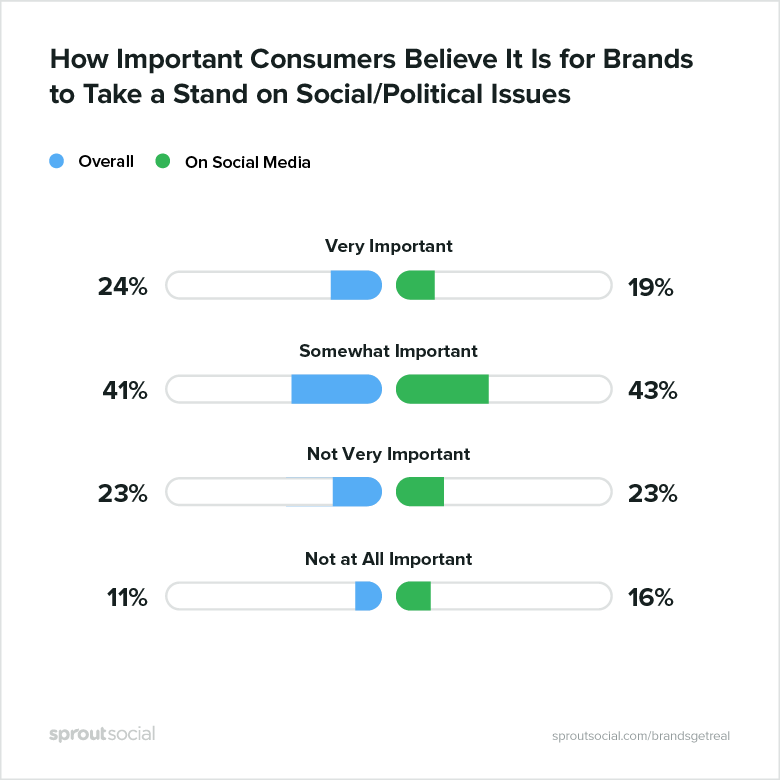
For example, 65% of consumers believe it’s important for brands to take a stand on social or political issues.
brands-on-social-political-issues.png

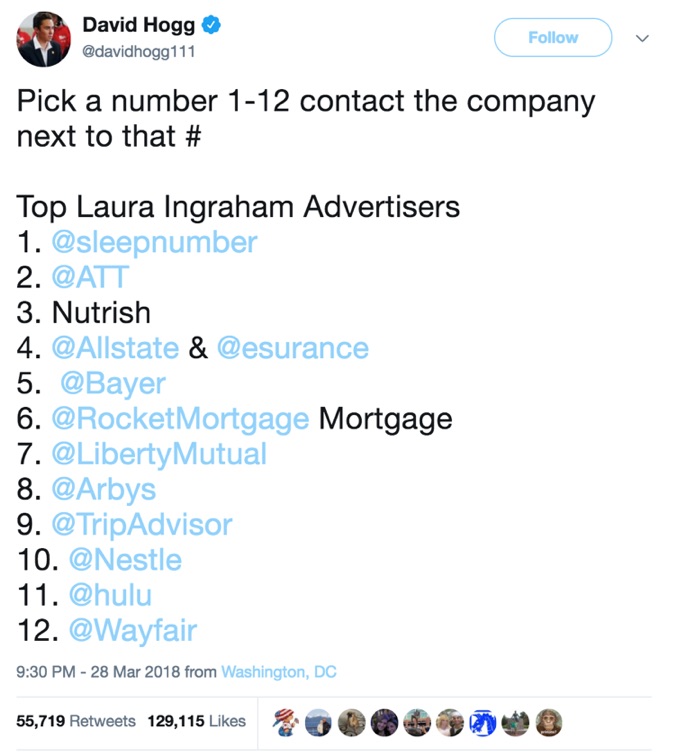
Take a look at the conversation created around Fox News anchor Laura Ingraham criticized Parkland school shooting survivor and gun control advocate, David Hogg, for getting rejected from four colleges.

David responded by calling out all of Ingraham’s advertisers, asking them to pull their support of the show.
david-hogg-attacking-laura-ingraham-advertisers.jpg

Within a few days, companies like Hulu, Bayer, and Nutrish had announced they’d be pulling the ads from Ingraham’s program.

After a few weeks, the program had lost 24 advertisers.

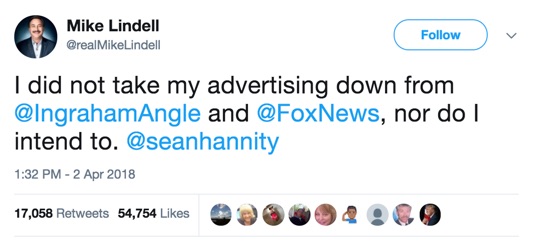
However, not all advertisers chose to separate.

Mike Lindell, founder of the MyPillow, announced he would be leaving his advertisements on the program.
mike-lindell-supports-fox-news.jpg

By becoming a part of important conversations and debates, brands can refine their voice and make their opinions and beliefs more well known.

While it’s impossible to prepare for every kind of hurdle or backlash your brand may experience, knowing where your brand falls in these situations can help you create consistent messaging through your content.

6. You’re not promoting

Remember when Beyonce released a surprise album without any marketing?

In three days, she sold almost 830,000 albums.

It was impressive.

However, if you’re trying to use this tactic to promote your content, you’re in for a rude awakening.

Unfortunately, you’re not Beyonce.

And that means you need to promote.

Proper content promotion is really the key to getting attention to your content.

If you’re simply posting links to your latest blog post on your Twitter account, you’re probably going to get ignored.

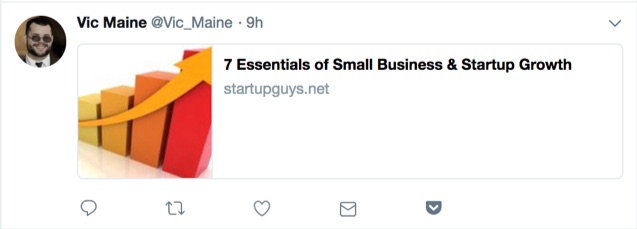
Take a look at this Tweet from user Vic Maine.
vic-maine-tweet.jpg

It’s just a link, featuring no context, hashtags, or other interesting information that might entice the reader to engage.

So, it’s not really surprising to see it hasn’t started any conversations or gotten any traction.

However, you can refine your promotion strategy to include email marketing, social, forums, and influencer marketing to improve your results.

First, let’s take a look at social.

Companies have been promoting their content on social for years.

However, the way you should promote and where you should promote is always changing.

Just one shift to the network’s algorithm or design (or even a negative post from an influencer) and your entire promotion strategy might be turned upside down.

Take a look at Facebook, for example.

After changing their algorithm, many brands reported a drop in organic reach.

However, you can work around this algorithm shift by either paying to promote your content or creating content that your audience wants to engage with.

Check out this breakdown Buffer created of important signals that can influence your ranking on Facebook.
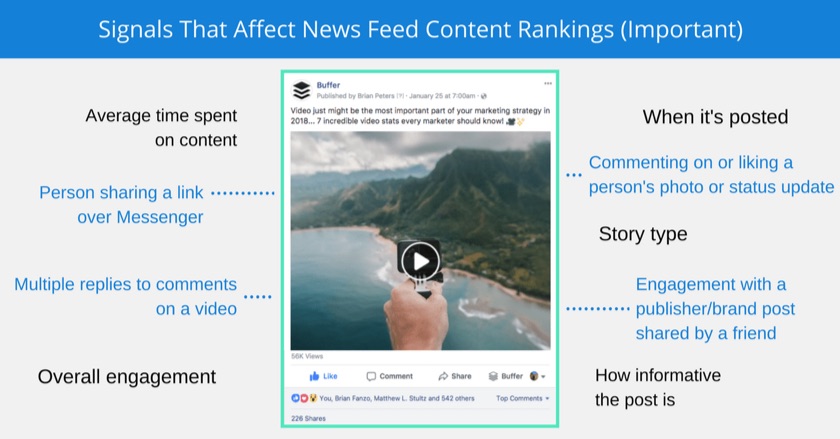
signals-in-facebook-news-feed-ranking.jpg

As you can see, some of the most important factors of what gets ranked depends on how users are interacting with the post.

This means you want to focus more on creating content that individuals want to engage with, rather than strictly shock-value content.

You should also make your content easy for your readers or viewers to share your content on their own.

Within blog posts, including “Click to Tweet” bars or share buttons can help encourage visitors to share the content with their friends or family – helping to improve your reach.

Content Marketing Institute frequently uses Click to Tweet bars to make it easier for their readers to share their content.
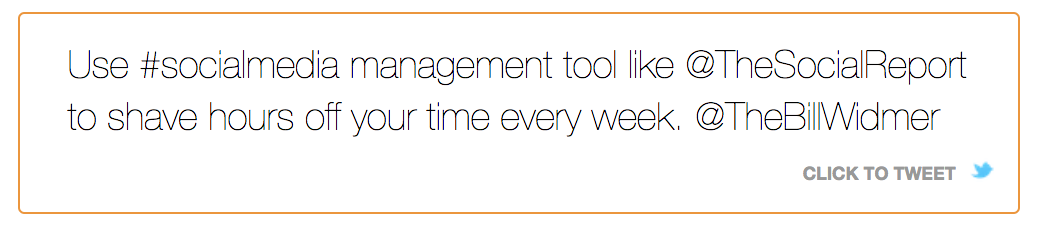
click-to-tweet.png

You can also use more targeted marketing approaches to help reach your audience, such as email marketing.

When you properly segment your email lists, you can share your content with individuals you already know are interested in what you’re sharing.

Take a look at the results MailChimp found for campaigns segmented by interest groups.
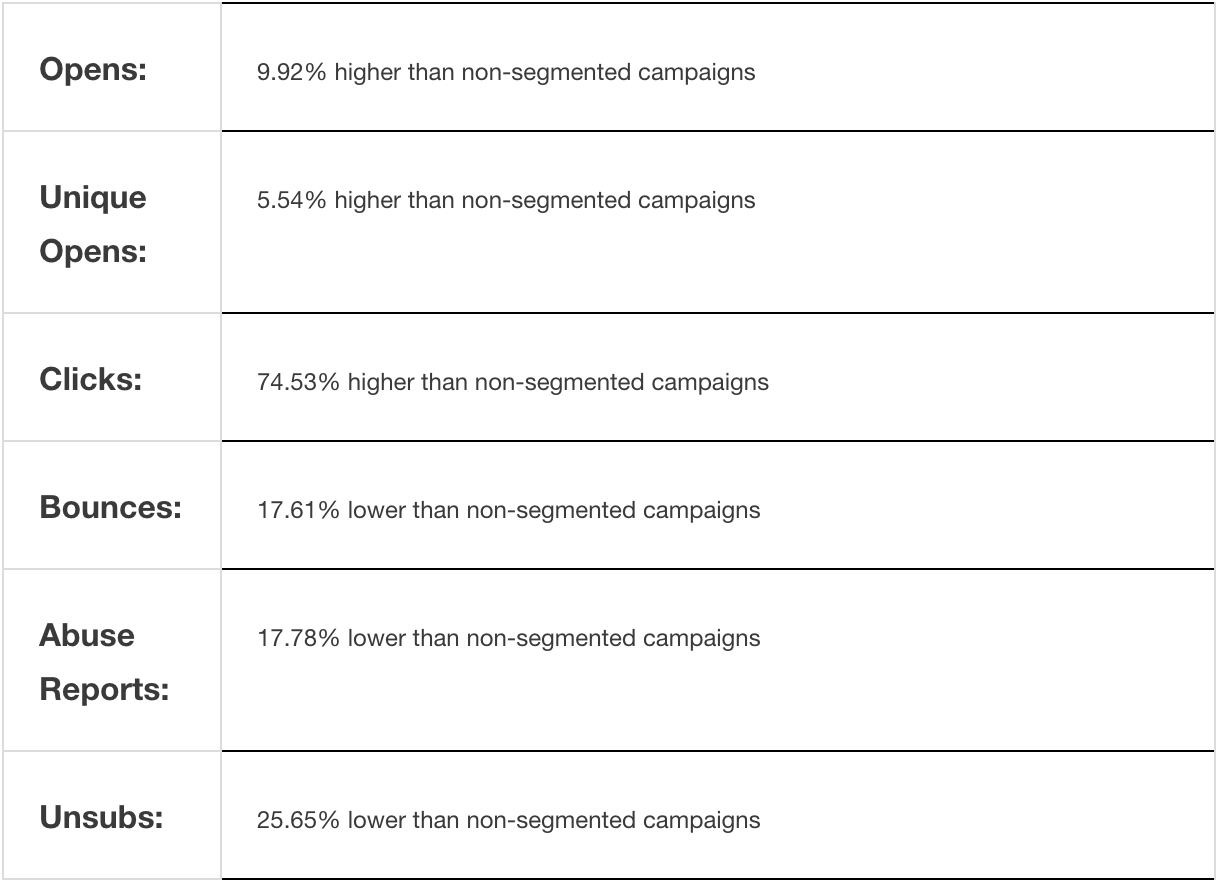
mailchimp-campaigns-segmented-by-interest-groups.png

By sending specific content to your audience members based on their interests, you can dramatically improve your campaign results.

7. Your content isn’t properly optimized

Promoting your content is just one side of the coin.

To truly bring attention to what you produce, you want your audience to be able to find what you’re creating.

This means it needs to be properly optimized.

Each piece of content should comply with your greater SEO strategy.

This means going beyond just creating content that your audience wants to read or engage with.

Keywords should be factored into each piece of content you create.

By finding words or phrases that your audience is actually searching online, you can increase your chances of them finding you.

The Keyword Planner from AdWords is one way you can find new keyword opportunities.
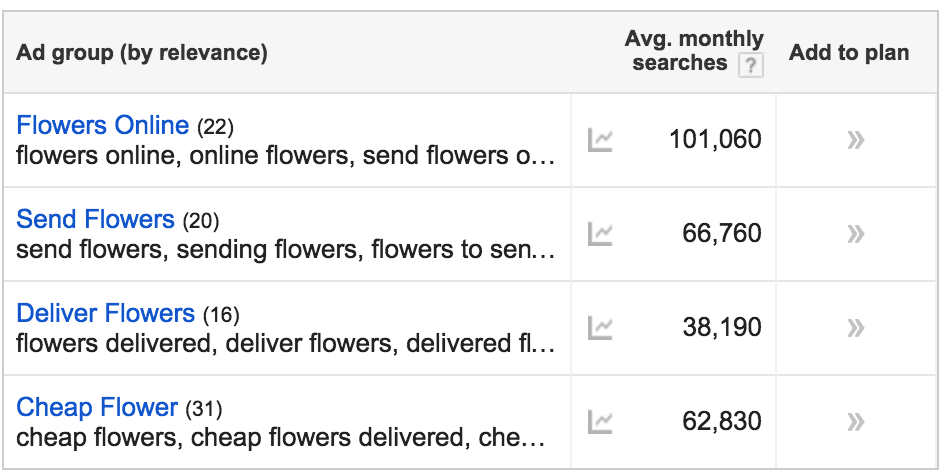
flowers-online-adwords.png

You want to find keywords that are high in average monthly searches but low in competition.

Don’t simply guess at what you think your audience wants.

You also want to make sure your content is properly formatted.

Your titles and heading should be strong and capable of standing on their own.

According to CopyBlogger, 8 in 10 individuals will read a headline – but only 2 in 10 will read the rest.

This means you need to create headlines that your audience can’t resist.

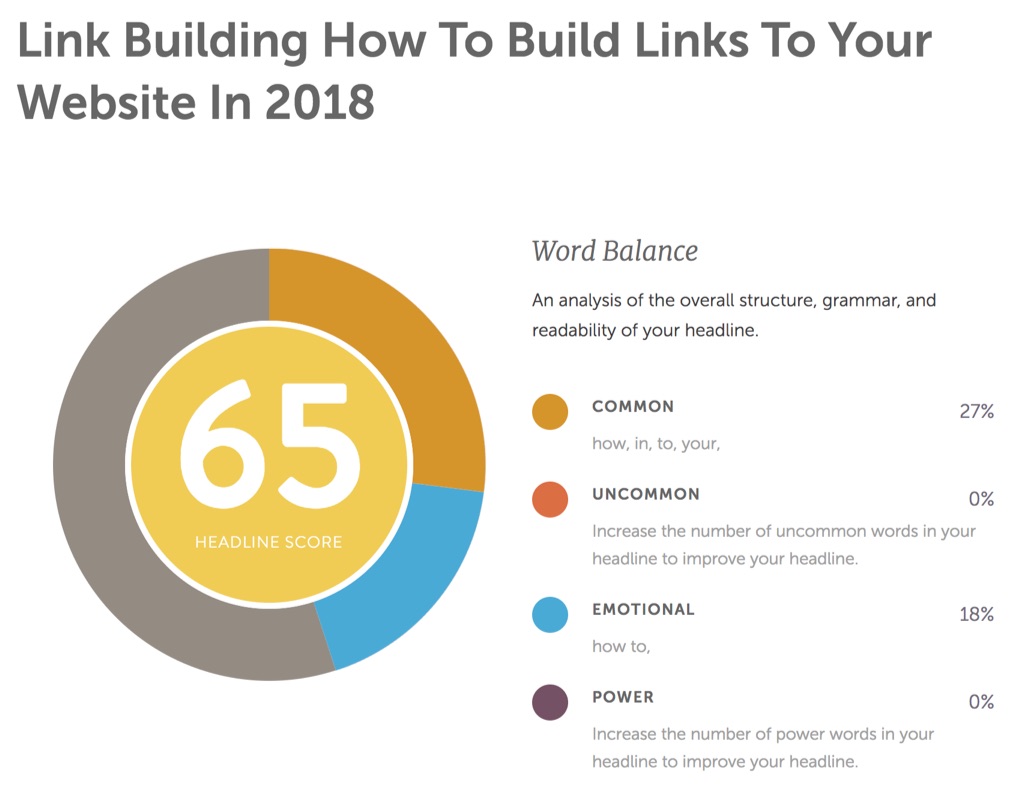
The CoSchedule Headline Analyzer is one tool you can use to improve your headlines.
word-balance-in-headline.jpg

The tool analyzes your word balance to give you an overall score out of 100.

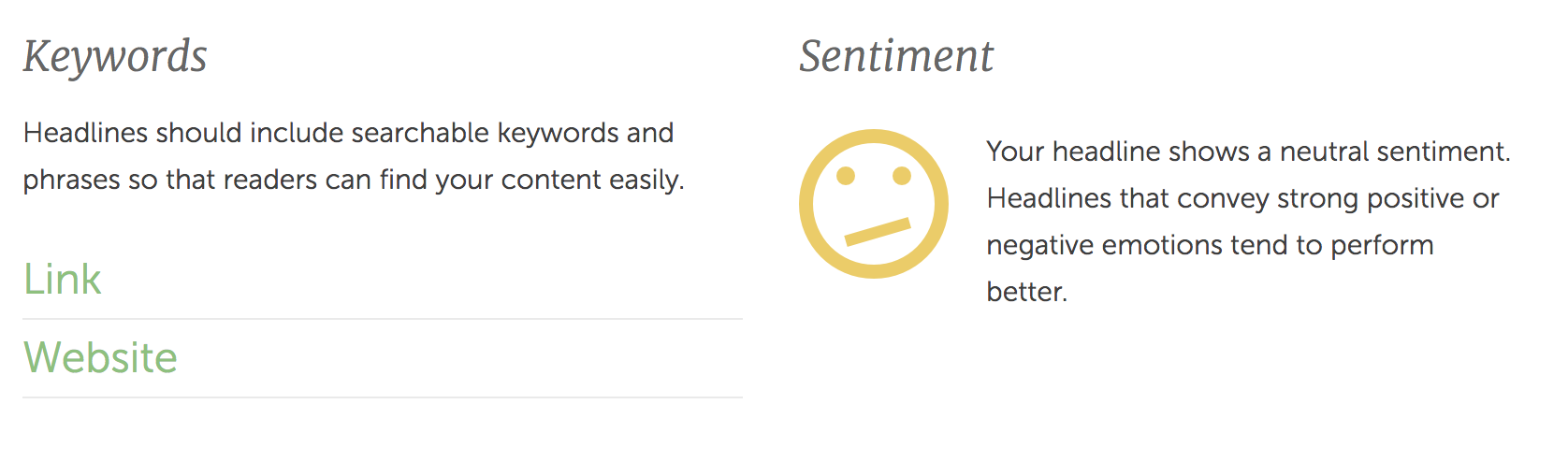
It also provides you with insights on length, sentiment, and even guesses which keywords it believes you’re targeting.
headline-keywords-and-sentiment.png

This can help you test the strength of your headlines before you post, saving you trouble and guaranteeing higher results.

But blog content isn’t the only thing you need to optimize.

You also want to make sure your videos, infographics, and images are optimized appropriately.

To optimize your videos on YouTube, start with an optimized title that describes the video and includes the keyword you’re trying to rank for.

This isn’t too much different than writing blog titles.

However, you also want to tag your videos appropriately and write a full description.

Your video description lets the YouTube algorithm know what your video is about.

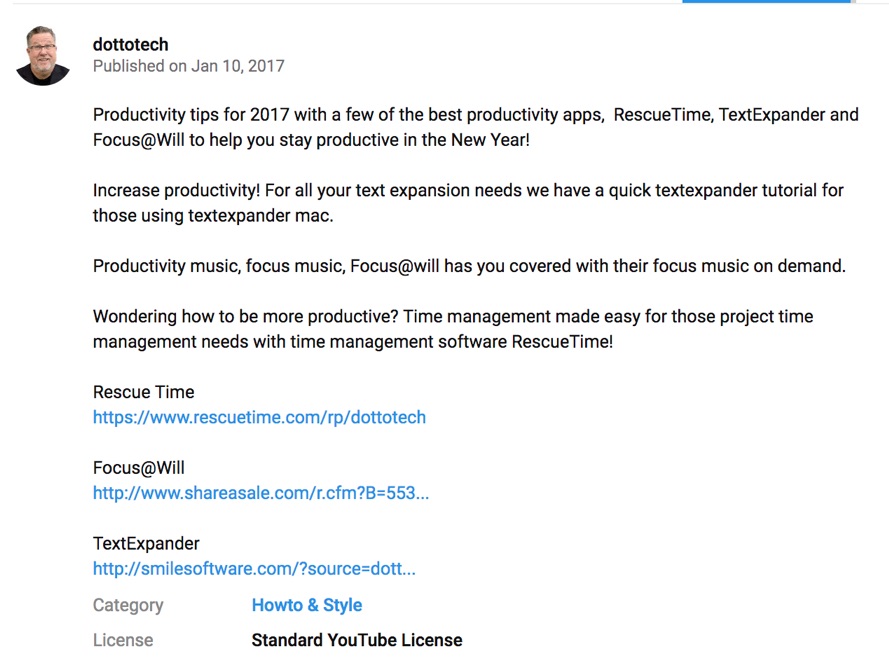
Check out this description from a DottoTech video.
dottotech-youtube-video-description.jpg

He provides a clear overview of what will be featured in the video, as well as some links to the apps he’s going to talk about.

This can help improve his connection to those pages and gives him the opportunity to further target his keywords.

Images are another area you’ll want to ensure are properly optimized.

First, make sure you’re using high-quality images that are the appropriate size for where they’re being placed.

This can help improve your page load time to keep visitors happy.

You can use a compressor tool to change the size of your image without hurting the quality.

You’ll also want to place the keyword you’re trying to target in the file name.

Because Google can’t actually see what your image is, it’s your responsibility to tell them.

Use captions, alt text, and title text to give Google a better understanding of the image you’re sharing.

Conclusion

In today’s digital age, you can’t afford to create content that is easily ignored.

However, it takes time to craft messaging that your audience will want to engage with.

Keep these seven tips in mind the next time you create content.

What tips or tricks have you found that improve your content-creation process?

About the Author: Neil Patel is the cofounder of Neil Patel Digital.

KISSmetrics?d=yIl2AUoC8zA KISSmetrics?i=waJX8h6dmiY:pACrevfgM-0:F7zBnMyn0Lo KISSmetrics?i=waJX8h6dmiY:pACrevfgM-0:gIN9vFwOqvQ KISSmetrics?d=qj6IDK7rITs KISSmetrics?i=waJX8h6dmiY:pACrevfgM-0:D7DqB2pKExk waJX8h6dmiY

Read more: feedproxy.google.com

https://bluetoothproximitymarketing.info/7-reasons-why-nobody-is-reading-your-content-and-how-to-grab-their-attention/

Monday, April 23, 2018

How these 10 Trendsetting Companies use Product Tutorials to Activate Every Single Sign Up

If you’re looking to take your business to the next level and help your products stand out, you can’t afford to ignore the power of product tutorials.

Ever tried to use a product without any instructions? It’s not a fun process, is it?

Product tutorials solve that problem by helping current and future customers understand the value of what you’re selling because they showcase exactly how to use it.

But when a product tutorial is too lengthy, too complicated, or doesn’t look like something your customer needs, they might end up abandoning it all together.

And that’s not a good sales strategy for anyone.

Because the end goal isn’t to get a customer, it’s to keep a customer.

And that means creating a product tutorial that makes it super easy for a new customer to start using—and succeed at using—your product.

So much so that they want to keep on using it. You know, forever.

Here are a few companies that did just that.

1. Buffer keeps it simple

The global average for cart abandonment across desktop, tablet, and mobile devices is a staggering 77.24%.

cart-abandonment-rates-across-devices.jpg

That means there is an extremely likely chance you’ll lose your hard-won customers before they even make it through the onboarding process.

Avoid this classic pitfall by keeping your product tutorial super simple. Just like Buffer.

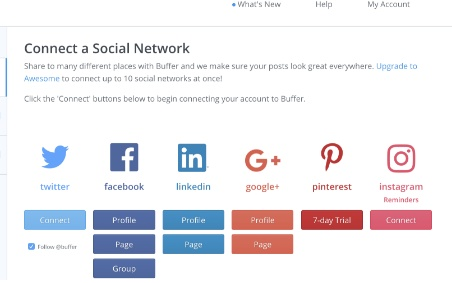
To get started, you just have to connect your social network accounts.

buffer-connect-a-social-network.png

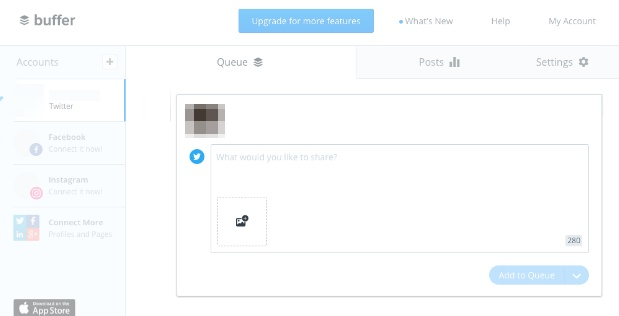
And compose your first social media post.

compose-a-post-on-buffer.png

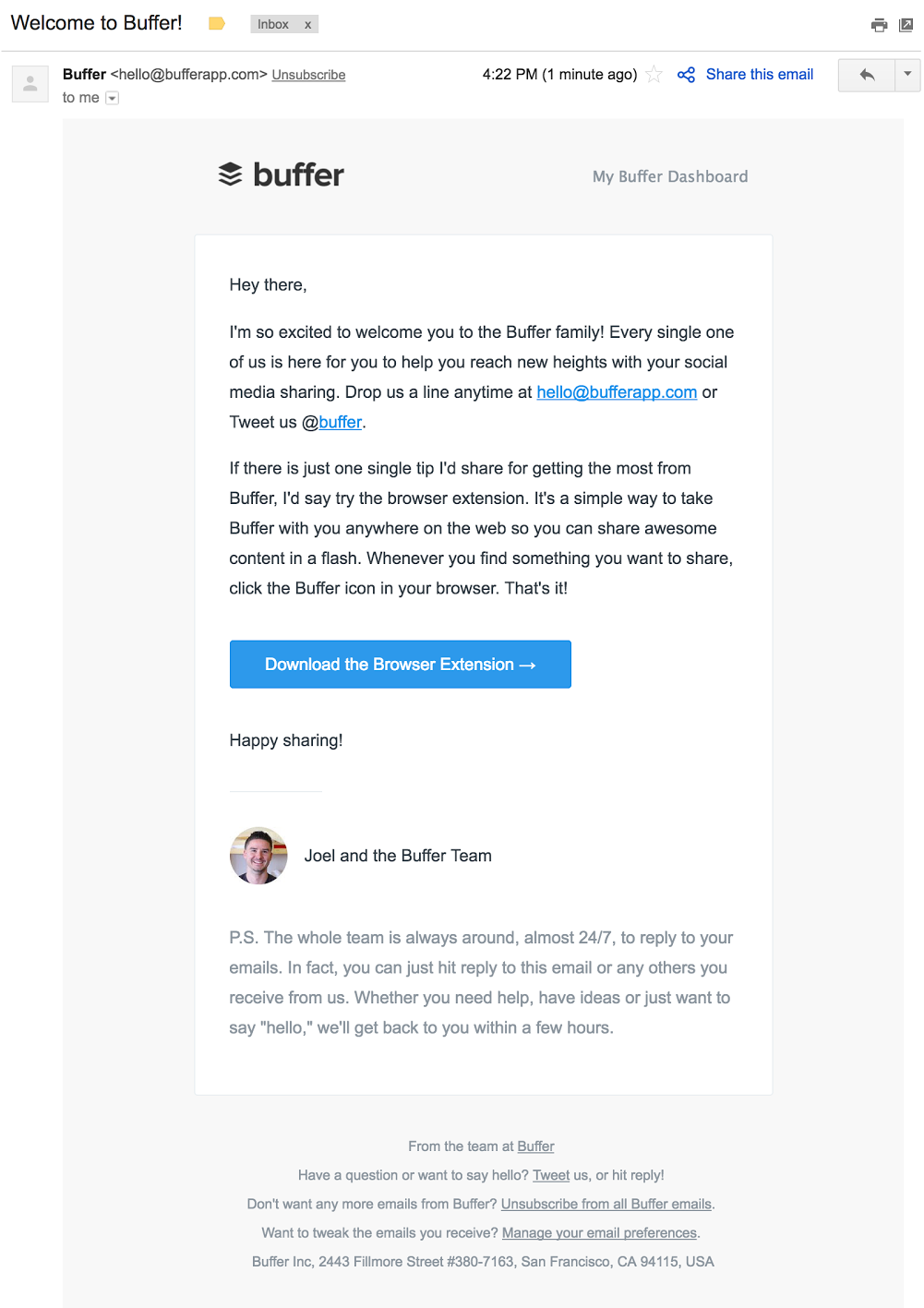
Buffer sends a series of onboarding emails to customers to help them navigate their service, starting with this welcome email:

welcome-to-buffer-email.png

The email cross-promotes the Buffer browser extension and provides a brief breakdown of why it’s useful.

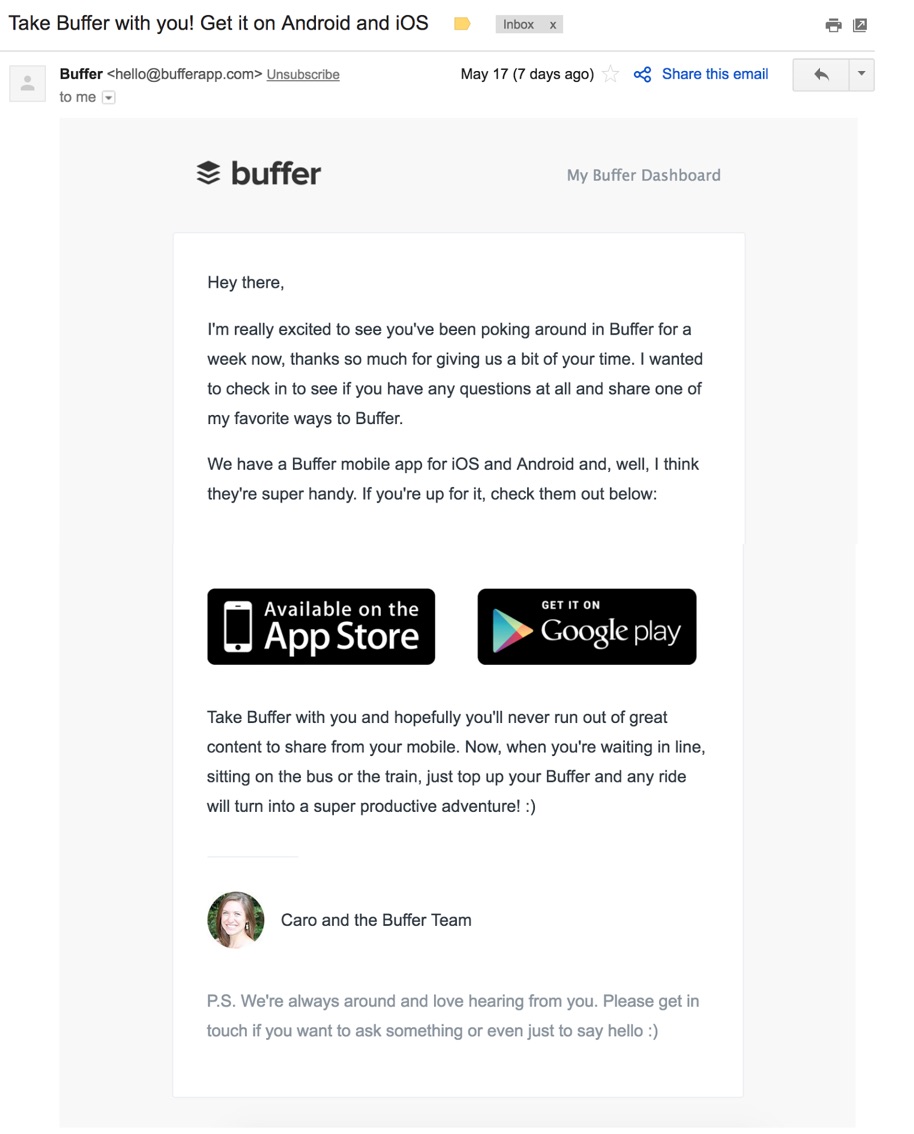
A few days later, the company sends a similar email that explains their Android and iOS app.

take-buffer-with-you-email.jpg

The entire signup process takes less than five minutes and is virtually foolproof. The onboarding email series guides customers along the way without overwhelming them.

The Co-Founder of Buffer, Leo Widrich, explained it best in this Chargify blog post:

“As entrepreneurs we’re often so excited about the possibilities of our product that we feel like we need to show our customers everything the second they sign up for our product.

Instead of doing that, at Buffer we focused on taking a step back and think about what the most successful customers did when they first joined Buffer.”

Try a similar approach with a series of short onboarding emails about your products and services.

Mint breaks their product tutorials down into small tasks to keep things simple, transparent, and easy.

2. Mint breaks it down into smaller tasks

The goal of many online products is to make something that is ordinarily complex, simple.

Mint, a financial services company, allows customers to view all of their banking accounts, credit cards, loans, investment accounts, and properties in one place.

But to see all of this information in one spot, a user first has to sort through all of their accounts, remember usernames and passwords, and upload them to Mint.

As you can imagine, this can be a rather arduous task.

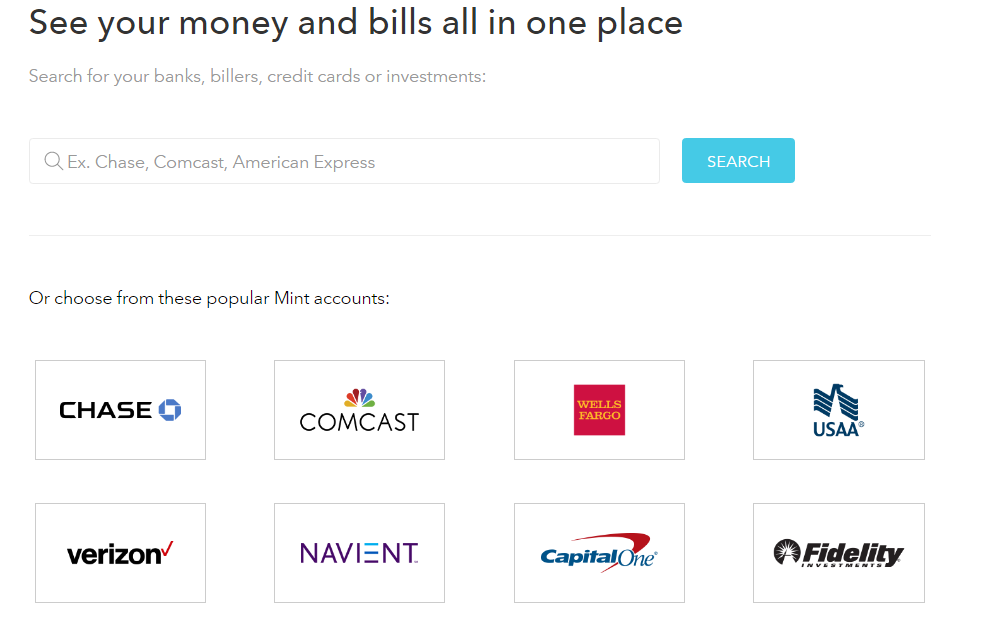
That’s why Mint breaks up a rather lengthy onboarding process into just one task: Add a bank account.

That’s it. Just one bank account.

see-your-money-bills-in-one-place.png

Once a customer has added an account, they can already see a small picture of their finances.

They already have a taste of success.

It’s so easy—and so gratifying—that it makes them want to do it again. And again.

And the onboarding emails sent by Mint are one of many reasons why the company grew to 1.5 million users in just two years.

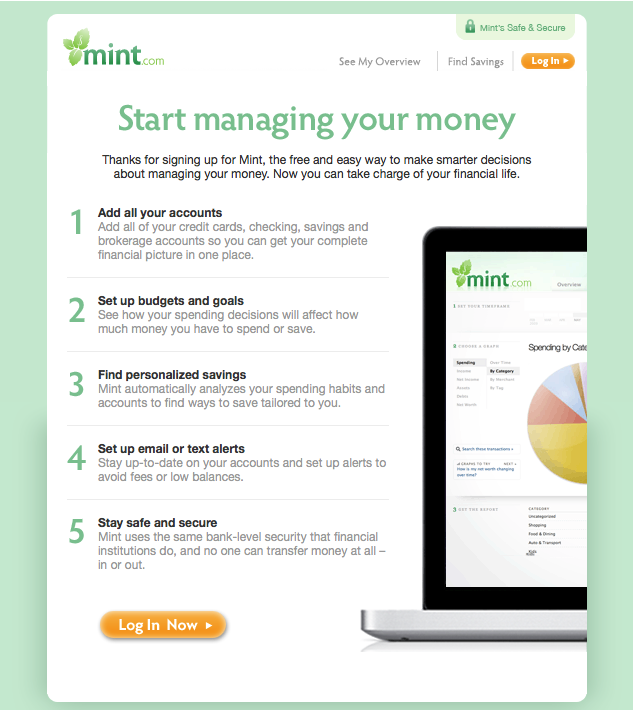
Once customers sign up for the service, Mint sends out a welcome email to help users “manage their money” in five short steps.

mint-onboarding-email.png

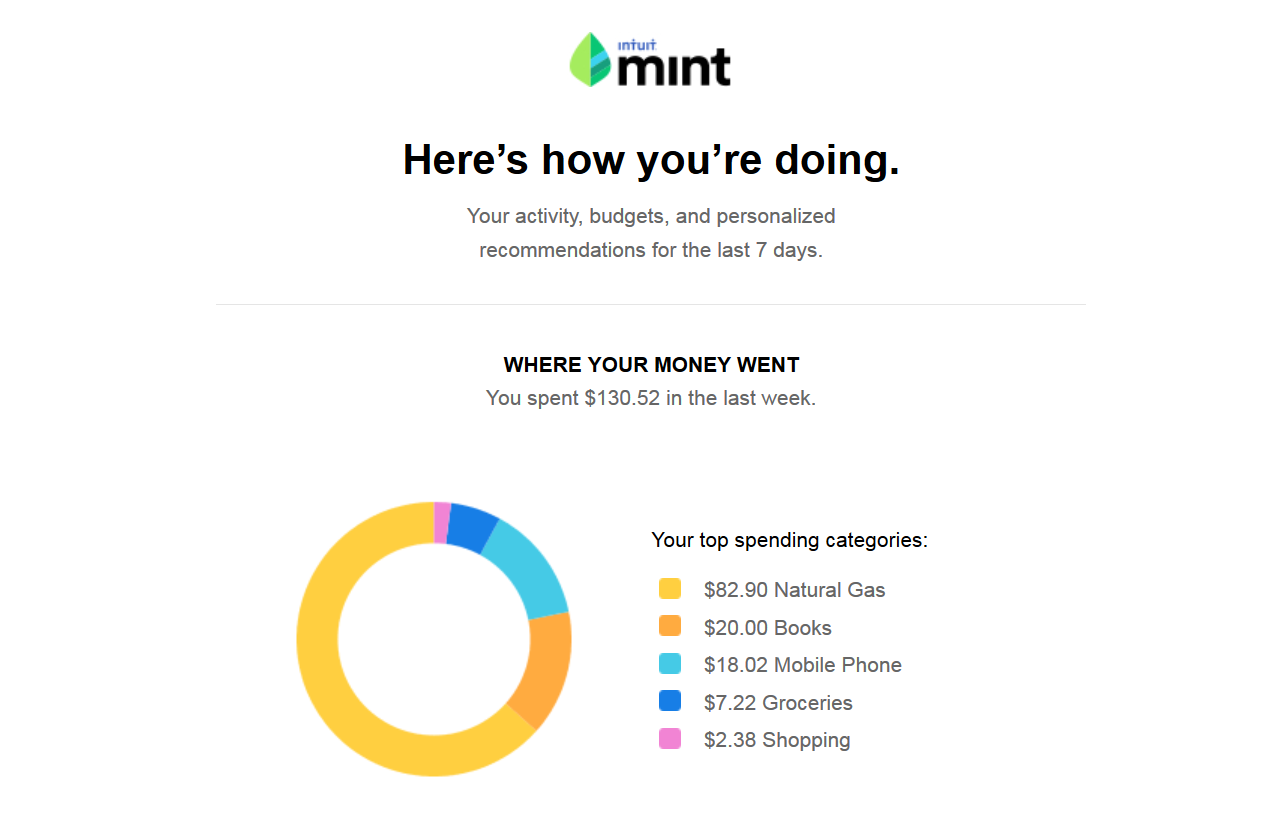
From there, users receive customized weekly emails summarizing their account activity.

mint-heres-how-youre-doing.png

By simplifying a complex process into smaller, more manageable steps, you’ll increase the likelihood that your customer will stick around to complete them.

It doesn’t hurt to have a little fun throughout the process.

3. Canva makes it fun

Virgin America rocked the airline industry when they introduced a safety video people actually wanted to watch.

It was so good that more than 12 million people voluntarily watched it on YouTube—without ever stepping foot on an airplane.

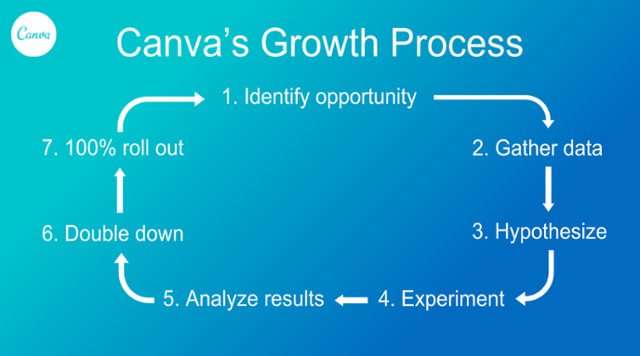
Your product tutorial can be the fun part. Take Canva for example. Their growth process is simple, fun, and proven to work.

canvas-growth-process.png

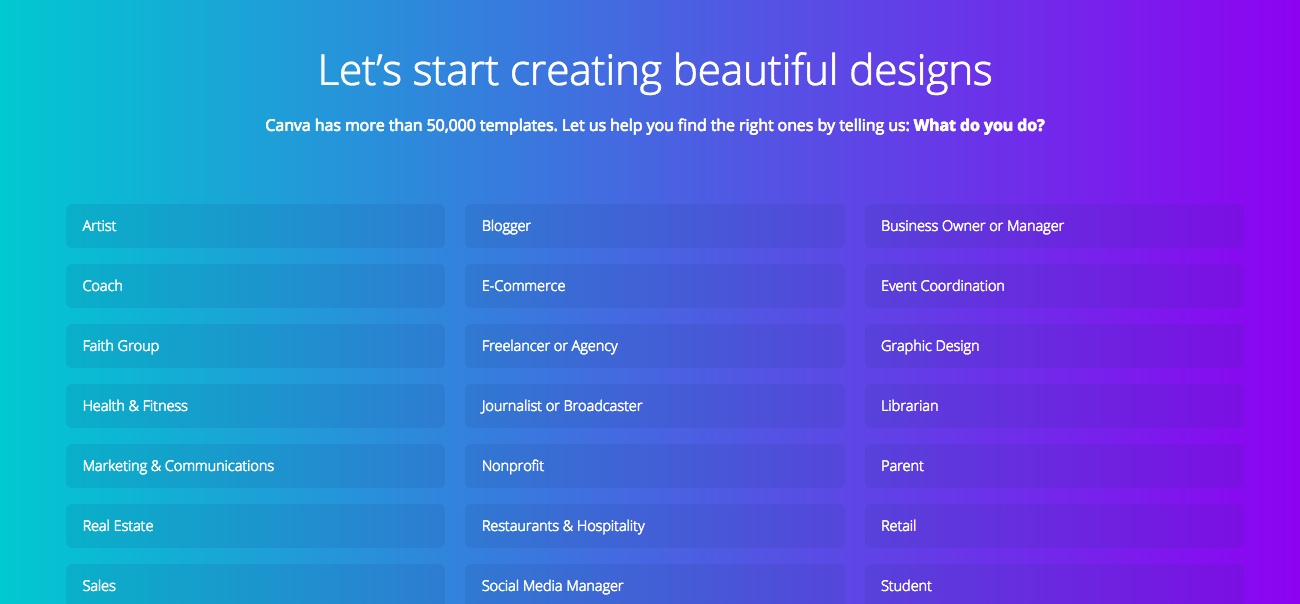
Once the customer opens the program, they’re immediately taken through the process of creating their first Canva design.

The customer can pick what they want to use the design platform for.

canva-onboarding.png

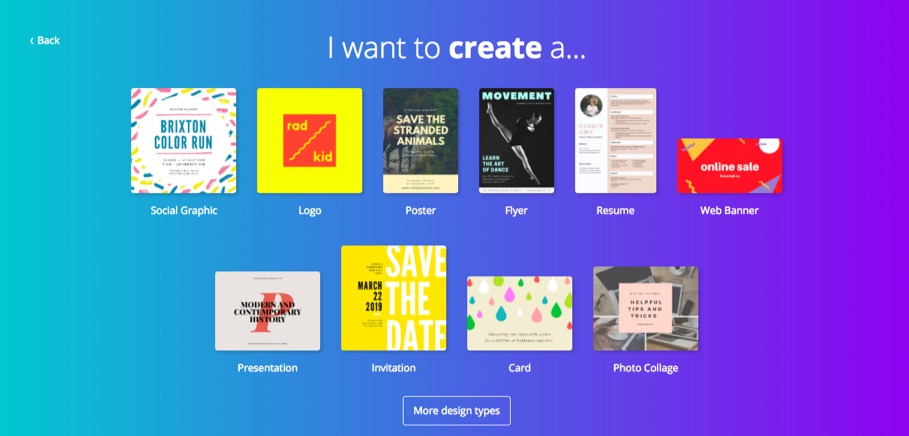
And what they want to design.

canva-i-want-to-create-a.jpg

Then Canva uses animation to show them how to create design elements.

As the customer works their way through the design process, they can choose the colors, fonts, graphics, and design elements they want to create just about anything.

The fun, personalized product tutorial resulted in a 10% boost in activation for the company.

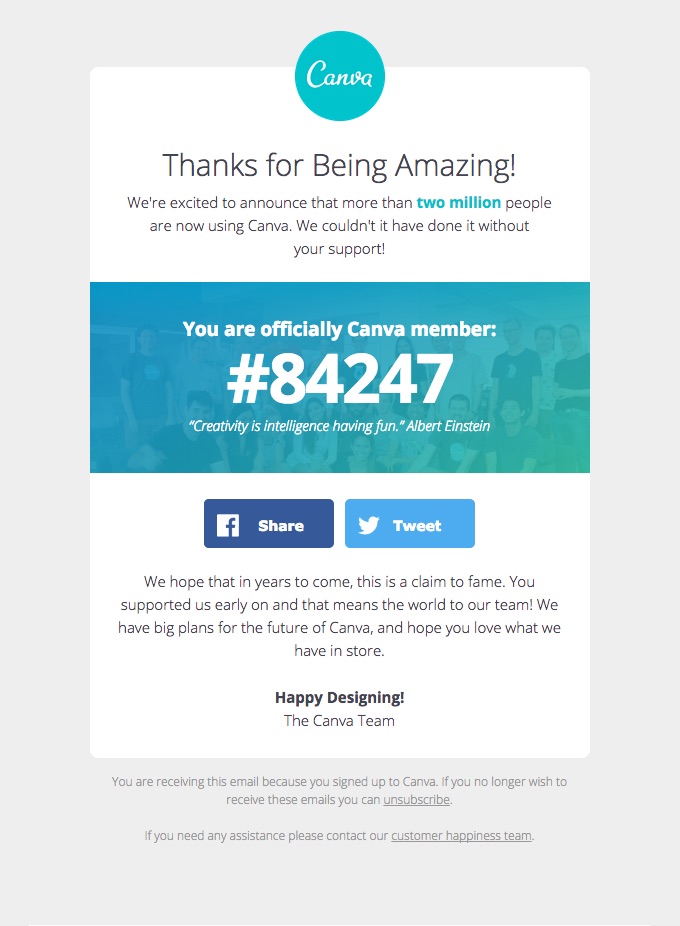
Canva’s emails are just as fun. They list which “Canva member number” that each new user is:

canva-thanks-for-being-amazing.jpg

You can find similar success by creating exciting product tutorials and onboarding emails.

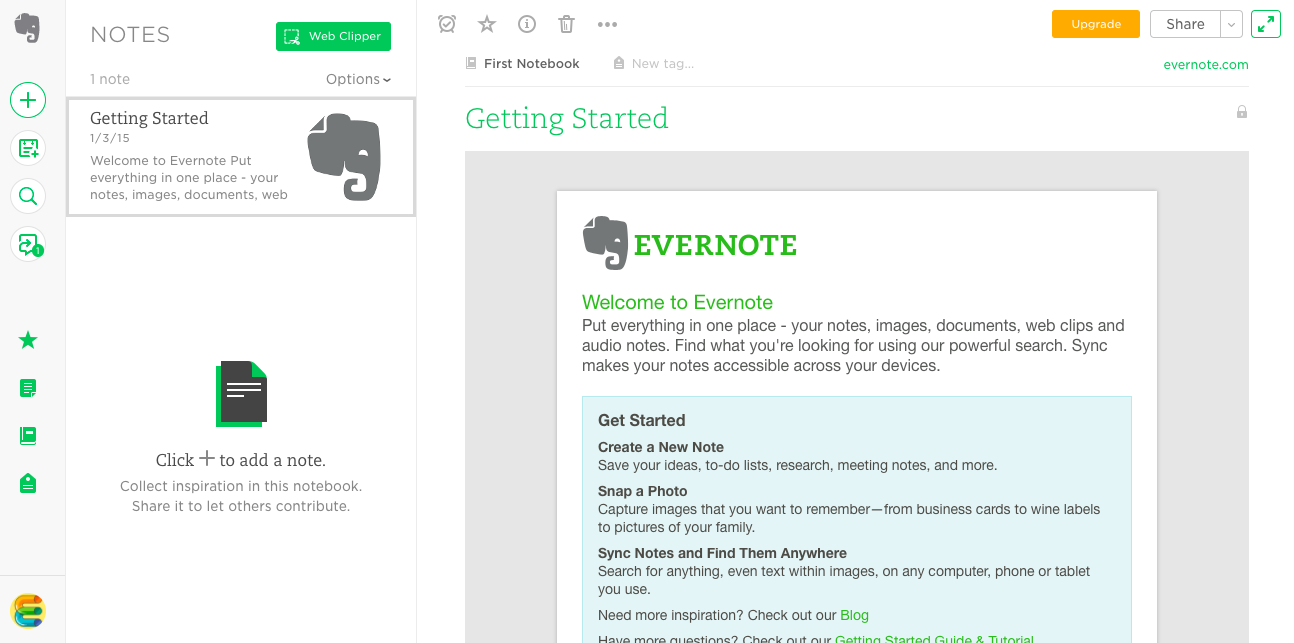
4. Evernote gets you to start now

As Ankit Jain puts it, “The key to success is to get the users hooked during that critical first 3-7 day period.”

That means your customer needs to experience a taste of what your product has to offer as quickly as possible.

That’s exactly what Evernote does.

The note-taking program gives customers an opportunity to stay organized while keeping track of their meeting notes.

To get customers hooked, Evernote wants their customers to write their first notes right away.

So the second the customer signs-up there is a note there waiting for them.

evernote-getting-started.png

It tells them how to compose their first note and all the fun things they can do with it. Once the customer starts taking notes, they’ll likely be hooked.

In fact, they might eventually have so many notes that they need to pay for a premium Evernote account.

That’s probably why more than 220 million users use Evernote.

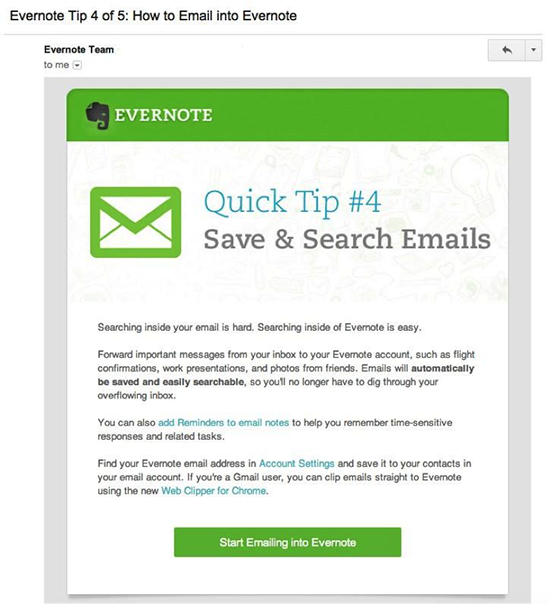
Evernote introduces new users to their service with a series of onboarding emails that teach them how to use the service to its full potential.

evernote-tip-4-of-5.png

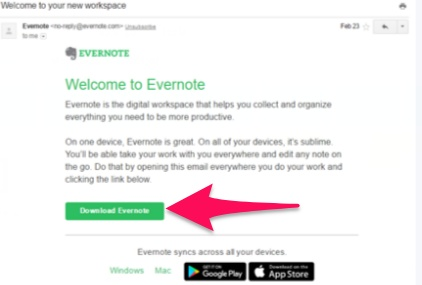
The series starts with a welcome email that wastes no time at all. There is a “Download Evernote” button right in the email body.

download-evernote-button-in-email.png

Cut to the chase quicker, just like Evernote, to activate more of your sign-ups.

5. Maven makes it personal

We know that email marketing is much more effective when it’s personalized. So why aren’t our product tutorials personalized as well?

For example, remember when doctors used to make house calls? Yeah me neither.

Despite the fact that house calls were way before my time, I still yearn for that level of personalized care.

I don’t want to look up answers to my health challenges online. That does nothing to reassure me.

And I don’t want to go to an urgent care clinic where no one knows me. They’ll just prescribe me something I don’t need.

Instead, I want to feel heard. I want to feel as though I’m taken care of.

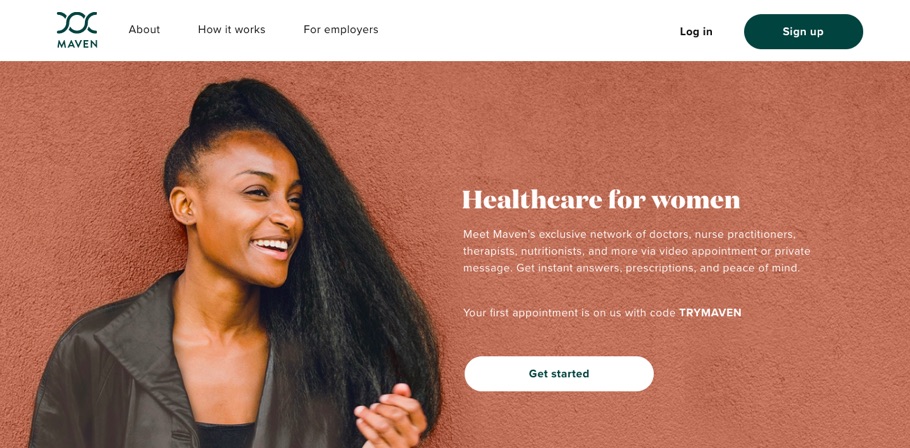
And that’s exactly what Maven Clinic taps into.

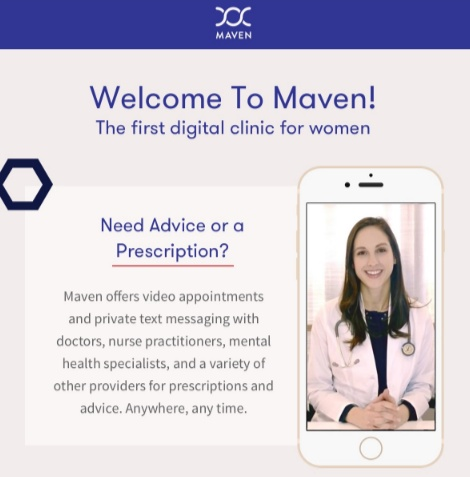
maven-healthcare-homepage-2018.jpg

Maven Clinic allows customers to schedule video appointments with doctors, physical therapists, and mental health professionals.

Even though it operates entirely online, it still feels personal, and they reinforce that level of intimacy throughout the entire product tutorial process.

And the company’s emails follow the exact same tone.

welcome-to-maven.png

Maven’s founder, Kate Ryder, says that this personal touch is what makes the company such a success.

“The responses we get from clients after launching Maven are fantastic — they get great feedback from their employees about how this sends a positive message about supporting a family-friendly culture.”

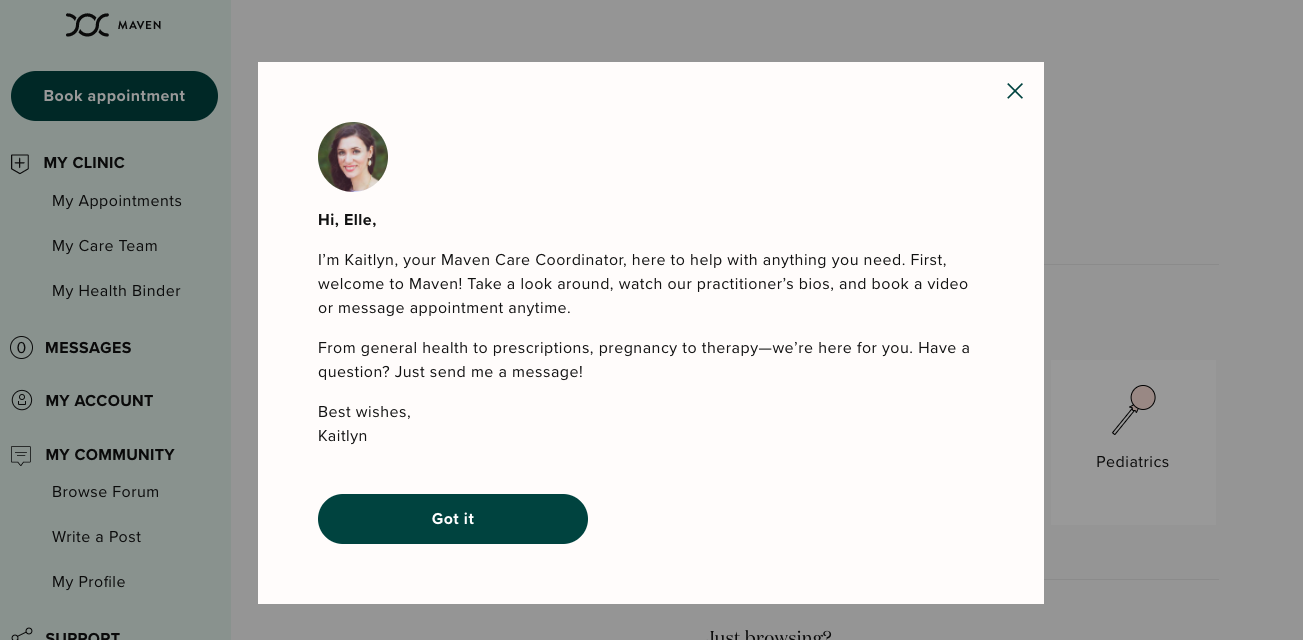
The second a customer signs-up they receive a welcome note from their own personal wellness coordinator.

maven-email.png

The note gives the customer the opportunity to feel welcome, to feel taken care, and to feel as though there is someone available to care for their needs.

This level of personalization is important. Especially in a field as intimate as health care.

Customers want to feel as though they are part of something bigger. They want to feel connected to the world around them.

They don’t want to feel as though they are all alone in the world.

And companies are reaping the benefits. One Maven client offered unlimited maternity leave to employees.

But with the personal features offered by Maven, the longest leave taken was only 7.5 months.

Tap into that emotionality by personalizing your product tutorial.

Customers that feel included are more likely to engage with what you’ve created for them.

6. Asana lets you customize

The point of a product tutorial is not to help you get more customers, it’s to help your customers use—and love—your product.

If your customer goes through your product tutorial only to find that it doesn’t meet their needs, they’re never going to use it again.

But if you use the product tutorial as a way for your customers to customize the experience of your product, that’s a win-win.

Asana, a project management tool, does this brilliantly, which is probably why the company is worth over $600 million.

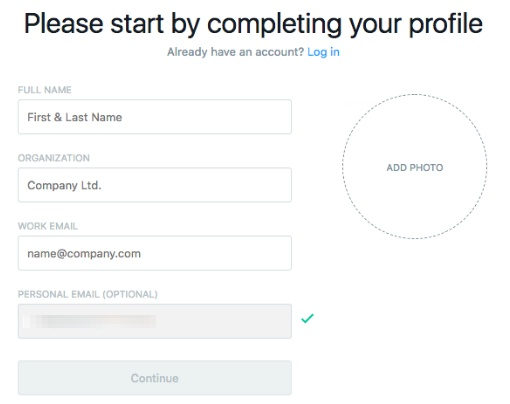
And because there is an infinite number of reasons a team might need a project management tool, the first thing Asana does is ask the customer to customize it to their needs.

asana-signup-form.png

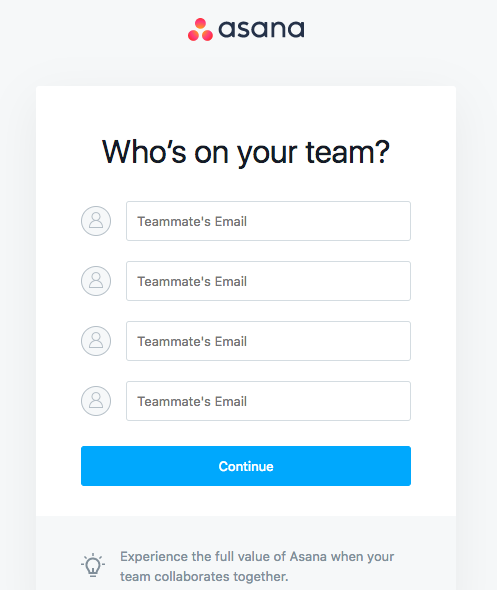
It asks about their teams:

asana-onboarding-step-2.png

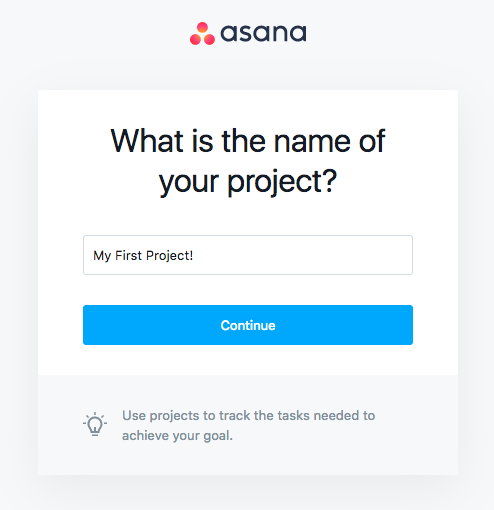
Their first project:

asana-onboarding-name-of-project.png

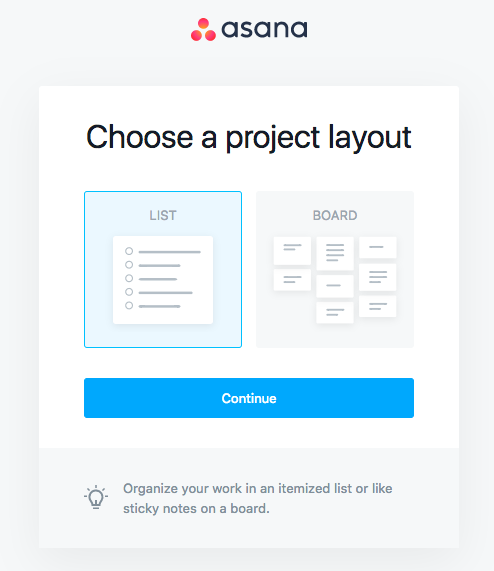
And how they want that project laid out.

asana-project-layout-choice.png

From there, the customer can start adding tasks to their projects.

And by the end of the product tutorial, the customer will have a product that is specifically catered to their needs.

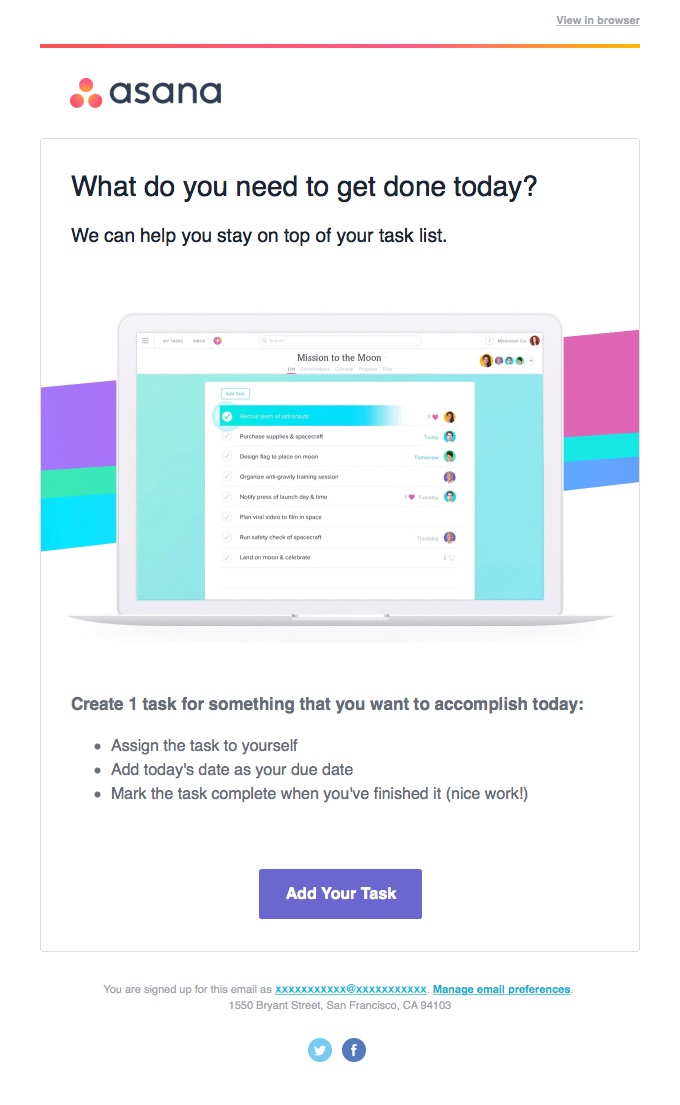
Asana’s welcome emails are just as effective. The headline reads: “What do you need to get done today?”

asana-welcome-email.jpg

The result is that the customer always gets what they want.

And that’s always a winning strategy.

7. Timely has two fields

How many fields do you really need your customers to fill out?

Historically speaking, analysts have recommended using no more than three form fields on a landing page.

Yet so many onboarding processes ask for way too much information. Do you really need your customer’s first name? Last name? Phone number?

Every field you ask your customer to fill out is another chance they might not stick around to get through it.

This is an era of instant gratification we’re living in.

If you don’t need a field, don’t ask for it.

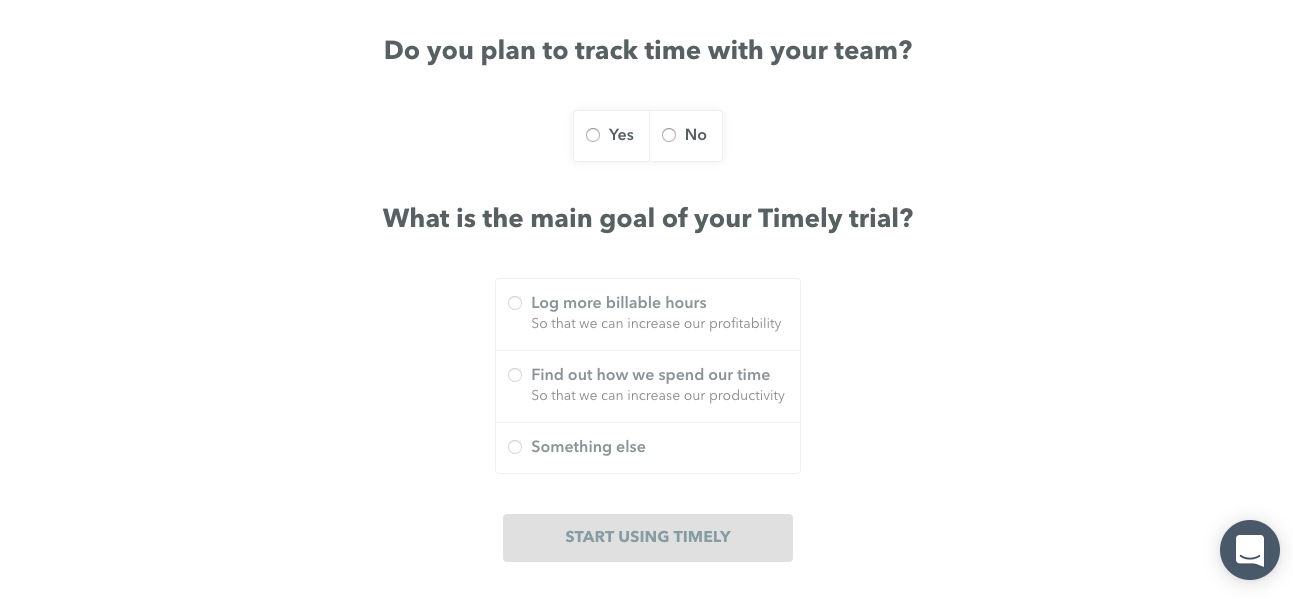
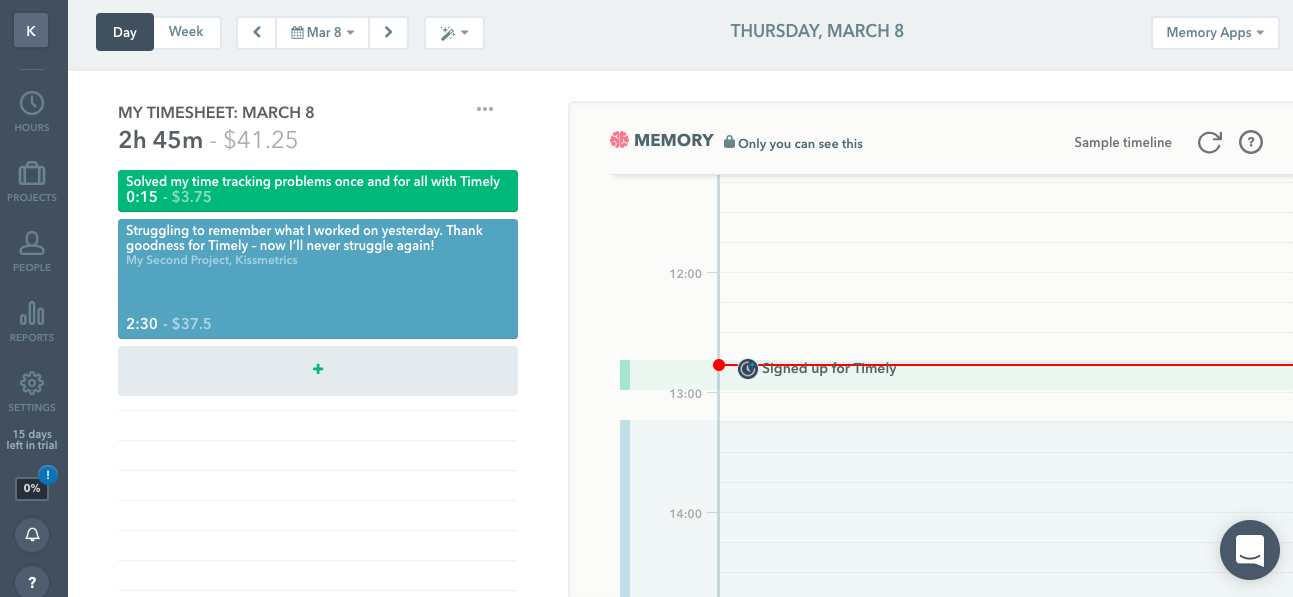
In the case of time management software Timely, they only ask for two fields.

timely-signup-questions.png

From there the customer can get right to managing their time.

timely-managing-time.png

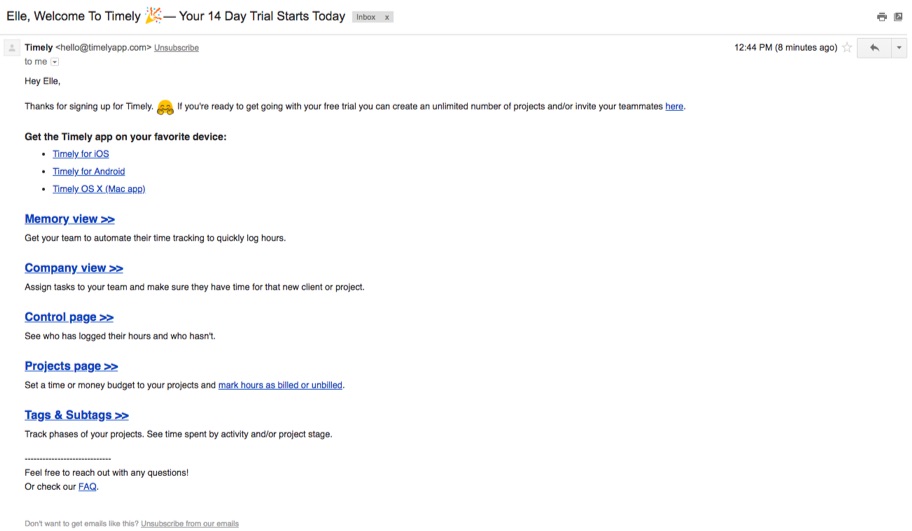
And if they need more information, there’s an email for that.

timely-welcome-email.jpg

Timely understands what their customers are looking for and they only need two pieces of information to give it to them.

A good product tutorial should do the same. Ask only for what is most vital to getting your customer into your product and engaged with it.

Anything extra is just giving your customer an easy out.

8. Slack gives you the basics

I know. You want to teach your customers all about your product.

After all, you created all of those amazing features and benefits just for them.

But if your product is a little more complicated to use, please don’t try to teach your customer everything they can do with it at once.

Instead, start with just the basics. Give your customer the bare minimum of functionality they need to get started.

Once they’re hooked, you can teach them more. But at the beginning, the last thing you want is for your customer to get overwhelmed and quit.

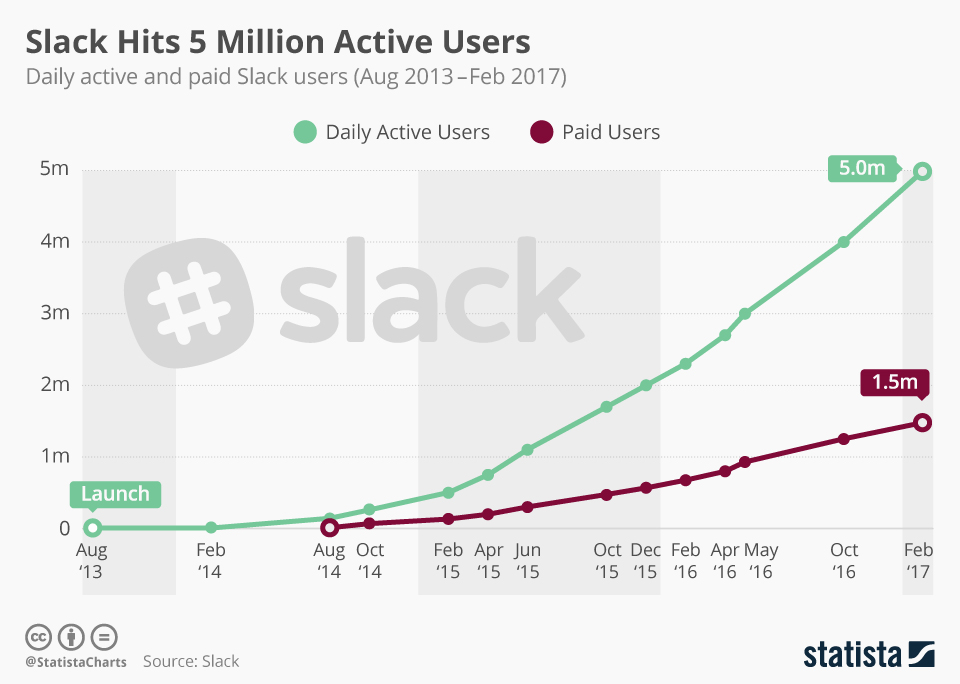
Take Slack for example. The company has over 5 million daily active users and 1.5 million paid users.

slack-5-million-active-users.png

The workplace communication service was designed to roll email, instant messenger, and video chat into one app. And they even do so much more than that.

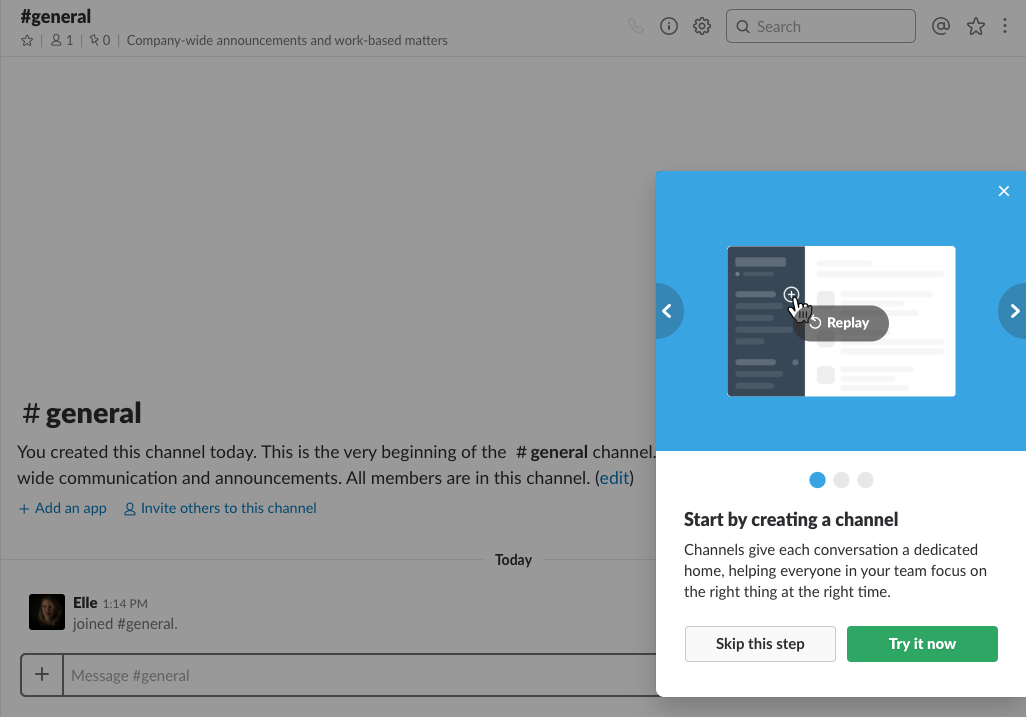
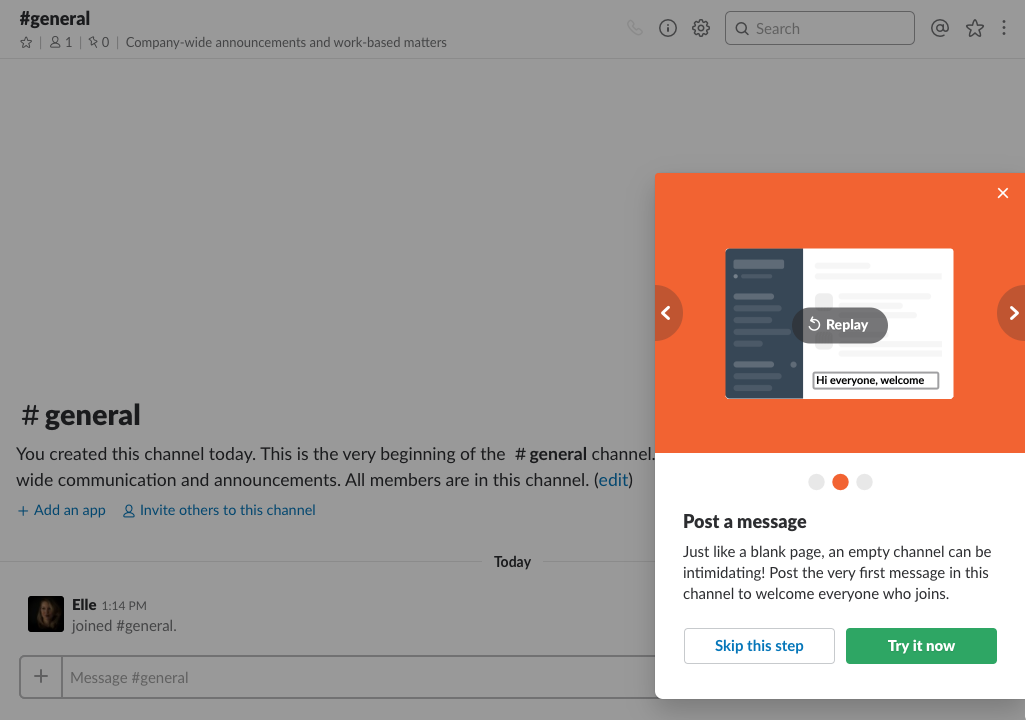
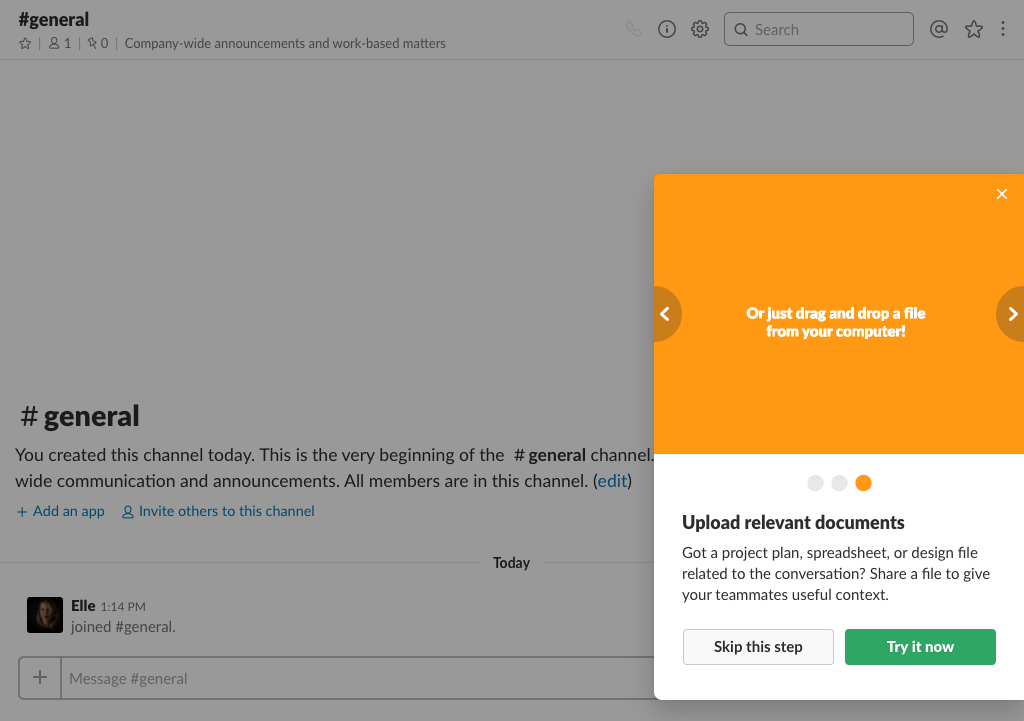
But they don’t tell you that all at once. Instead, they tell you the three most basic things you can do with their app.

They tell you all about channels:

slack-onboarding-create-a-channel.png

Messages:

slack-post-a-message.png

And uploads:

slack-upload-a-relevant-document.png

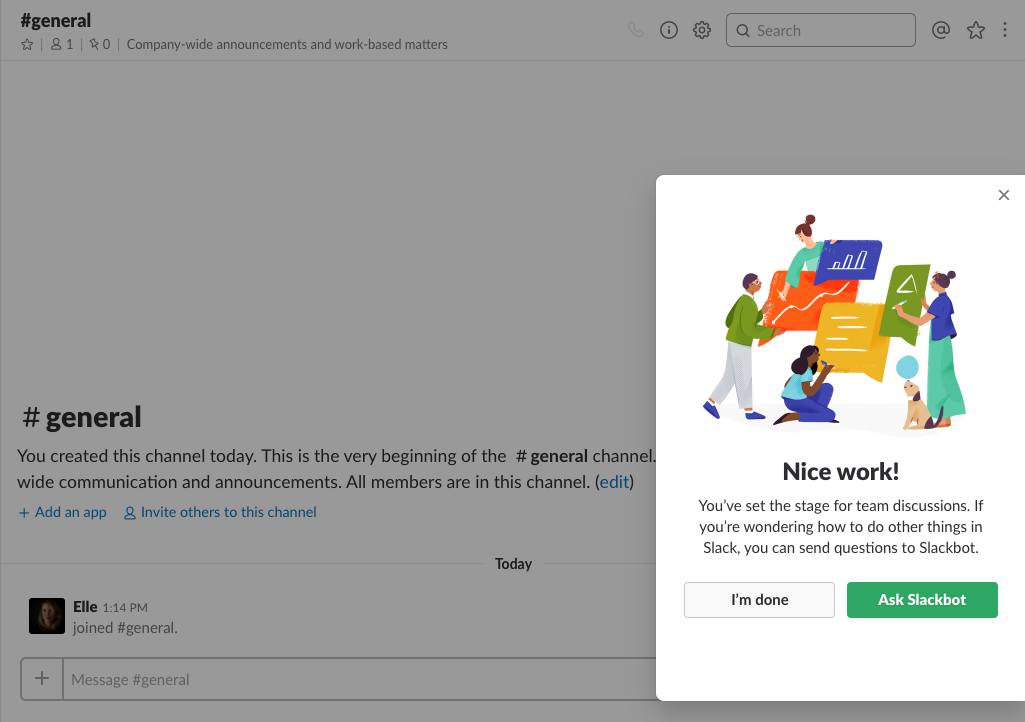
Once you have the basics mastered, Slack tells you how you can learn about the rest when you’re ready:

slack-nice-work-onboarding.png

Slack CEO Stewart Butterfield explained this tactic in an interview:

He said, “It’s less (about) features that are ahead of where the users are and trying to understand” .

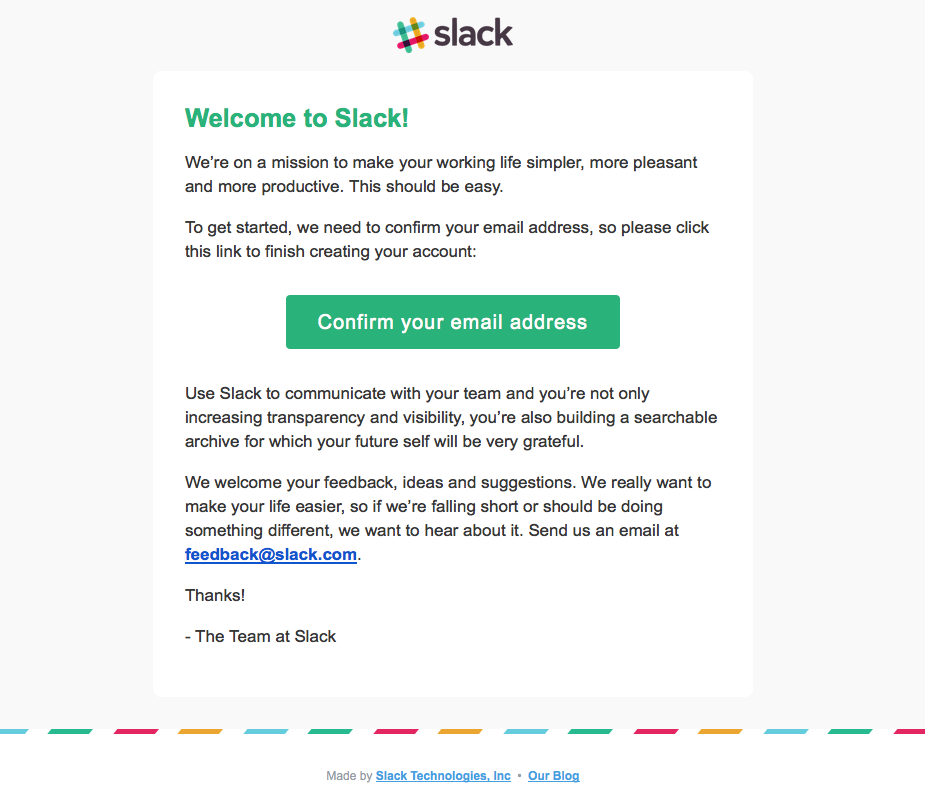
Slack’s onboarding emails keep it basic, too. Their welcome emails are sleek, simple, and get to the point right away.

welcome-to-slack-onboarding-email.png

By keeping to the basics, Slack users can get right to work reading through their channels, sending messages to their co-workers, and uploading important documents.

Once they see the value of your product, they’ll come back for more.

Until then, give them the bare minimum they need to succeed.

9. MailChimp hides their advanced functionality

Most businesses don’t start out with 100,000 customers. In fact, most businesses start out with just one.

Over time they grow and scale and require a lot more functionality than they used to.

But at the beginning, they don’t need all that functionality.

More likely than not, they need only the most basic functionality.

MailChimp gets that. The email platform has every bell and whistle you could possibly imagine.

That’s probably why the company made more than $400 million in 2016 and grew their user base from 12 million to six million in just one year.

They have A/B testing, integration with Salesforce, newsletter sign-up forms, and complex analytics.

But when you’re just starting out, you don’t need any of that.

In fact, when you’re just starting out, all you need is to be able to email your customers.

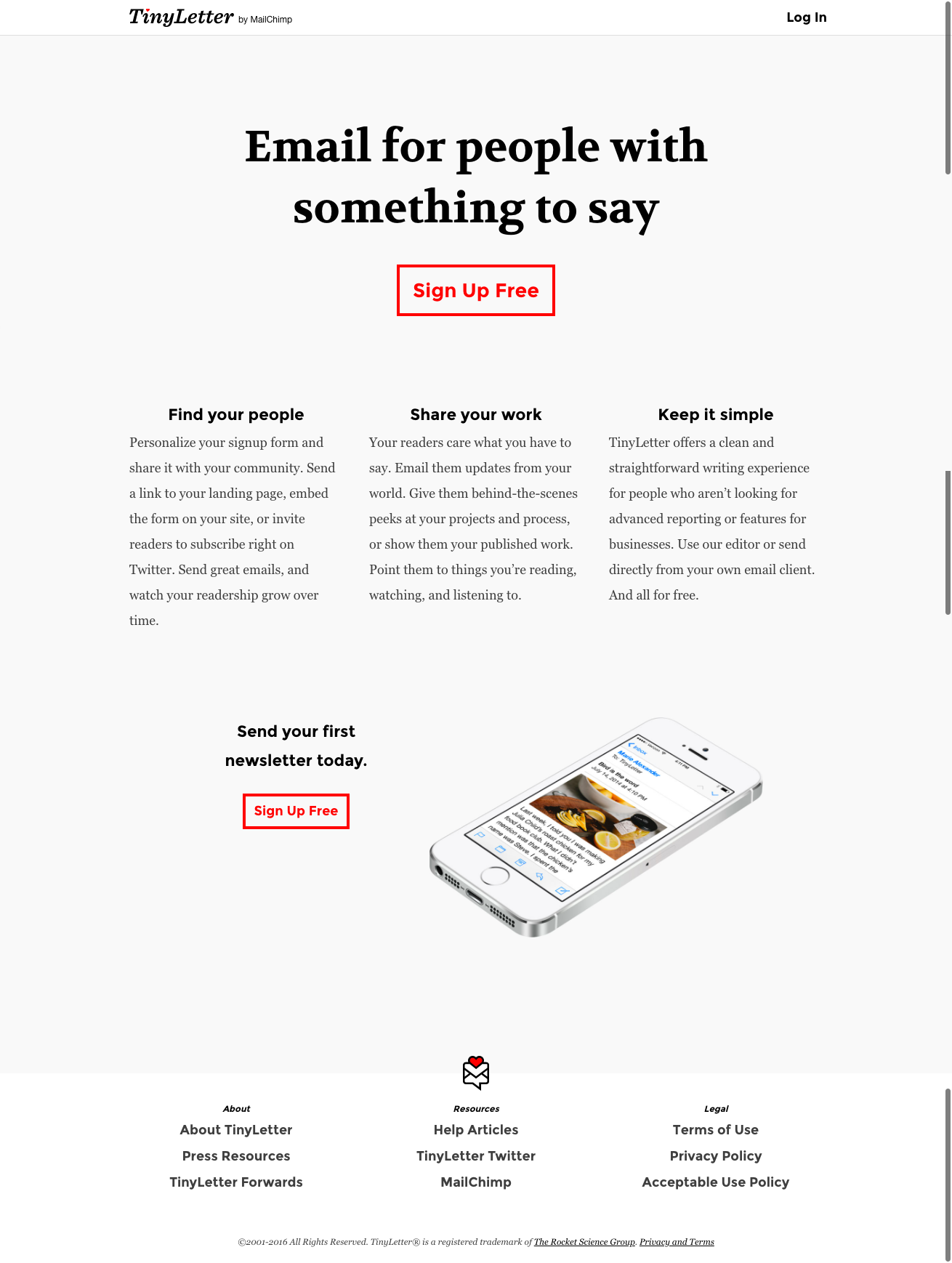
That’s where Tiny Letter comes in.

tinyletter.png

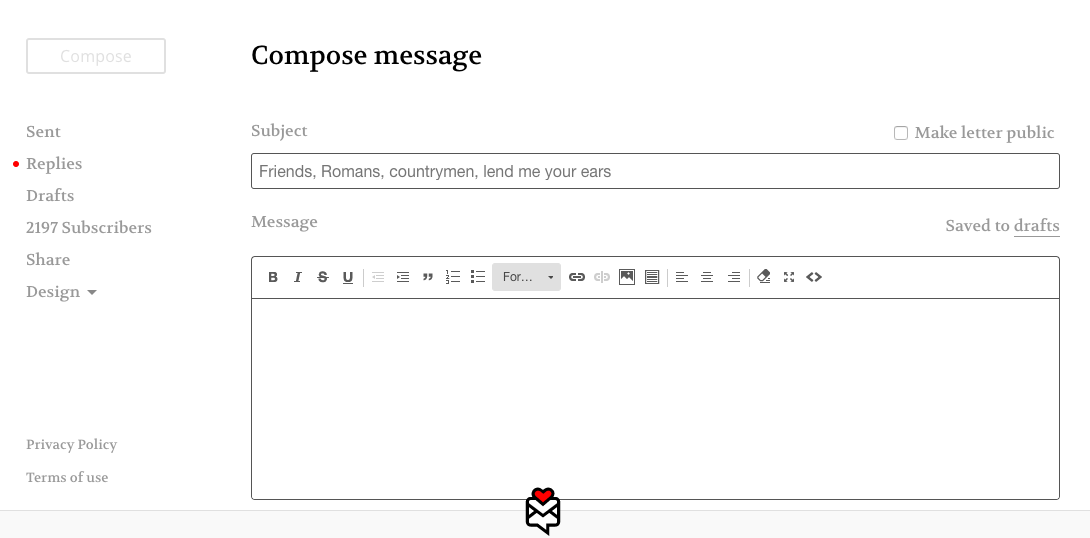
Tiny Letter is MailChimp’s lite program. All you do is sign-up, upload your existing customers, and send them an email.

That’s all there is to it.

compose-message-on-tinyletter.png

There’s no analytics. There’s no A/B testing. There are no embedded forms. There are no design elements.

It’s just a simple way for your business to send an email to everyone you want to send an email to.

You can keep using Tiny Letter until you have 5,000 subscribers. But by then you’ll probably want to add a bell or whistle or two.

That’s when MailChimp pulls back the curtain and lets you see all of your deepest desires.

But not a moment before you’re ready to see them.

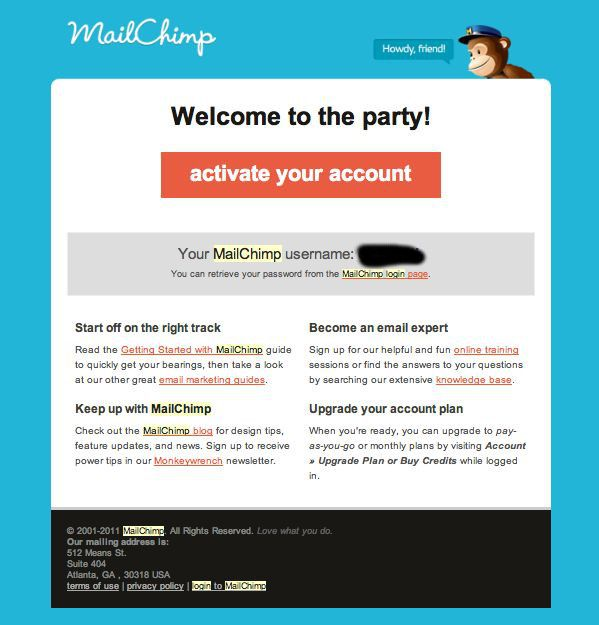
MailChimp emails are designed to serve the exact same purpose.

mailchimp-welcome-to-the-party.png

Online training, a knowledge base, marketing guides, and a blog are listed to help users become acquainted with the service before diving in deeper toward advanced features.

10. Expensify makes it easy

In some cases, it’s relatively easy for a customer to want your product and even to sign-up for it, but then they struggle to roll it out for their employees.

The product tutorial is the perfect opportunity for you to address those concerns.

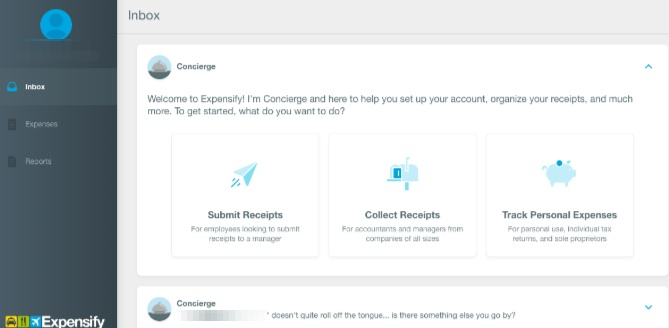
Take Expensify, who doubled their customer base in six months, for example.

Expensify lets employees submit their expense reports and get reimbursed for them.

But getting employees to start using the program means making it as easy as pie.

expensify-dashboard.png

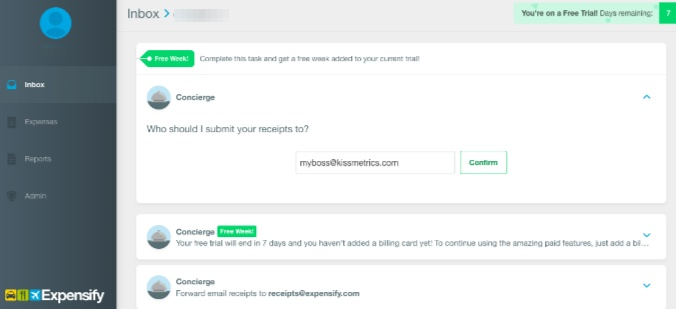
Expensify simply asks who it should submit receipts to.

expensify-who-should-submit-receipts.png

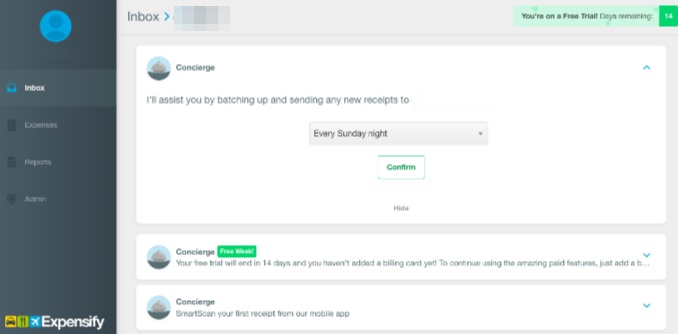
And when they should be submitted each week.

expensify-when-should-be-submitted.png

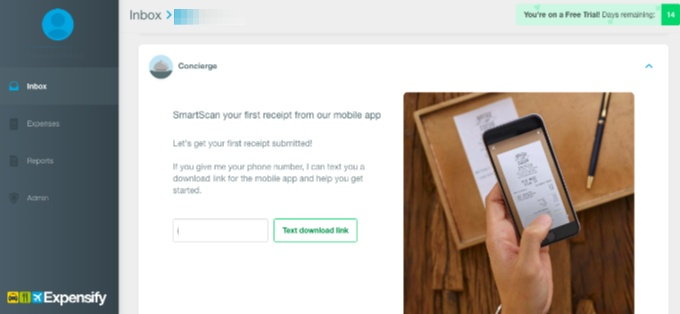
That’s it! The employee can immediately start uploading pictures of their receipts.

expensify-upload-images-of-receipts.png

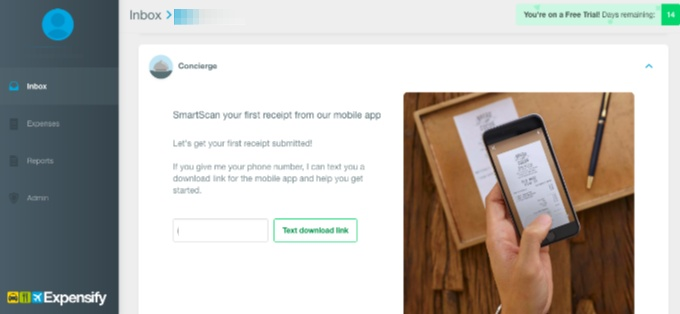
And Expensify will do all the rest.

expensify-upload-images-of-receipts-1.png

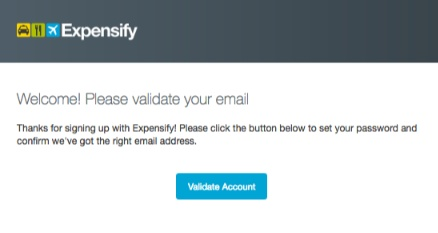
The brand doesn’t even require users to create a password at first. Instead, users can create a password once they receive a welcome email. The entire sign up process is practically infallible.

expensify-validate-your-email.png

The easier it is for companies to roll your product out to their employees, the more likely they are to bridge the gap from purchaser to loyal customer. Mind the gap. Make it easy.

Conclusion

You should be thinking about your customer and what they need from your product. Period.

Find ways to make your product tutorial simple and engaging. Give your customers what they came for. And fast.

Your product tutorial should be so easy and intuitive that anyone can get started. Even your grandmother.

Encourage your customers to take (at least one) action right away, like sending an email.

They’ll be able to see what your product can do. And whether or not they prefer your product to another one.

Keep tutorials simple like Buffer or break things down into actionable, smaller steps like Mint.

Spice tutorials up and make them fun like Canva or make users get started right away like Evernote.

Be personable like Maven or let users customize their experience like Asana.

Timely only has two required fields, which could help you keep onboard customers more effectively. Slack only gives users the basics, which keeps them from becoming overwhelmed.

MailChimp hides advanced features until users are much more experienced, while Expensify makes it easy to sign up for their service right away.

As a result, users of these services can get hooked on using these products and services monthly, weekly, or daily.

That’s what a successful product tutorial should do. It shouldn’t turn your subscribers into churners. It should turn your subscribers into users.

How have you used product tutorials to activate your sign-ups?

About the Author: Neil Patel is the cofounder of Neil Patel Digital.

KISSmetrics?d=yIl2AUoC8zA KISSmetrics?i=Q9AGM1RxQek:49O3WHueX-Q:F7zBnMyn0Lo KISSmetrics?i=Q9AGM1RxQek:49O3WHueX-Q:gIN9vFwOqvQ KISSmetrics?d=qj6IDK7rITs KISSmetrics?i=Q9AGM1RxQek:49O3WHueX-Q:D7DqB2pKExk Q9AGM1RxQek

Read more: feedproxy.google.com

https://bluetoothproximitymarketing.info/how-these-10-trendsetting-companies-use-product-tutorials-to-activate-every-single-sign-up/